

Player Profile
Career statistics
Every player profile keeps a career record: the matches the player has played, minutes, goals, assists and attendance, across every club they've been registered at. It belongs to the player's profile, not to a club, so it stays with the player when they move on.
Who can see it
| Who | Access |
|---|---|
| The player profile's owner (usually a parent/guardian) | Full career statistics |
| Co-owners the profile is shared with | Full career statistics |
| The player's own Athlo account, if they have one | Full career statistics |
| A club the player is registered at | Only its own records, in the club's own screens |
| A club the player has left | No access |
To share a player's profile with another parent or guardian, see Sharing a player.
Step by step
Open the player's career statistics
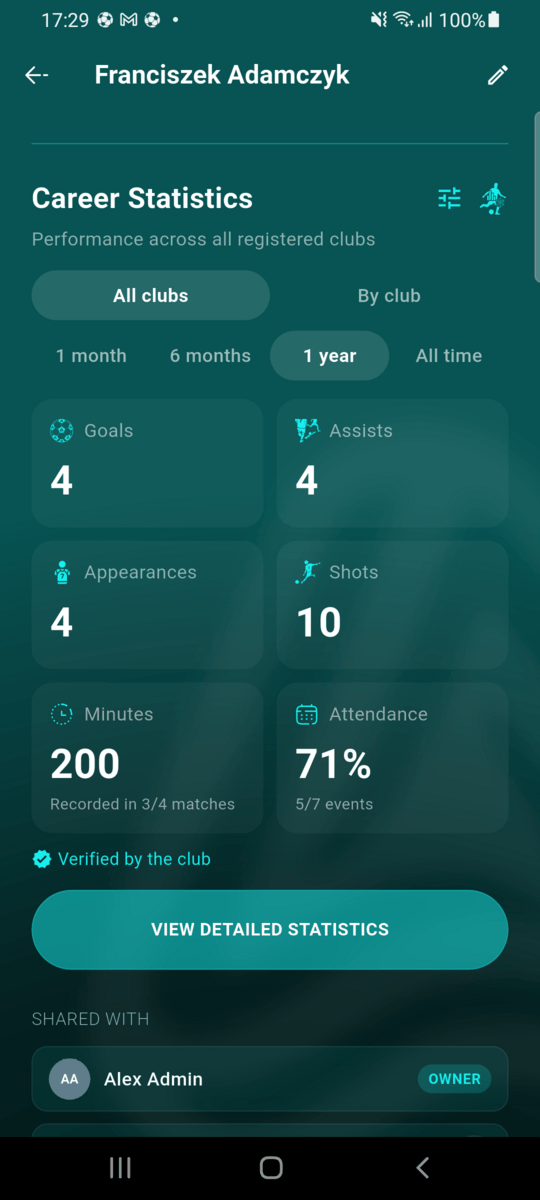
Go to Profile, tap the player under My Players and scroll past their height, weight, foot and sex to Career Statistics. It opens on All clubs for the last 1 year; switch to 1 month, 6 months or All time at any point.
The tiles show goals, assists, appearances, shots, minutes played and the attendance rate. Minutes are only recorded for matches tracked with the match tracker, so the Minutes tile says how many of the player's matches it covers, for example Recorded in 3/4 matches.
See each club separately
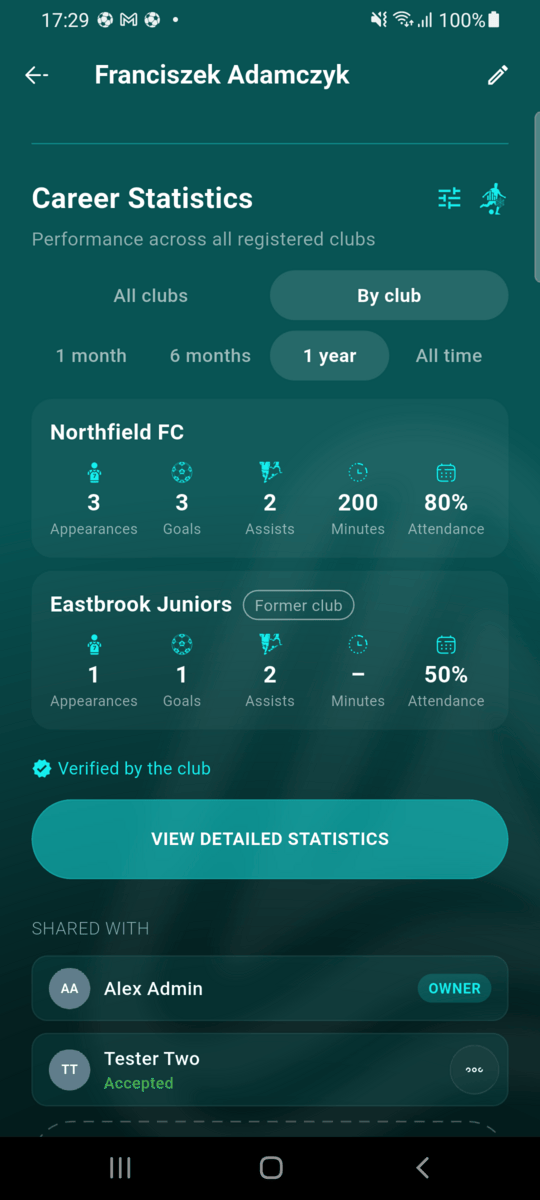
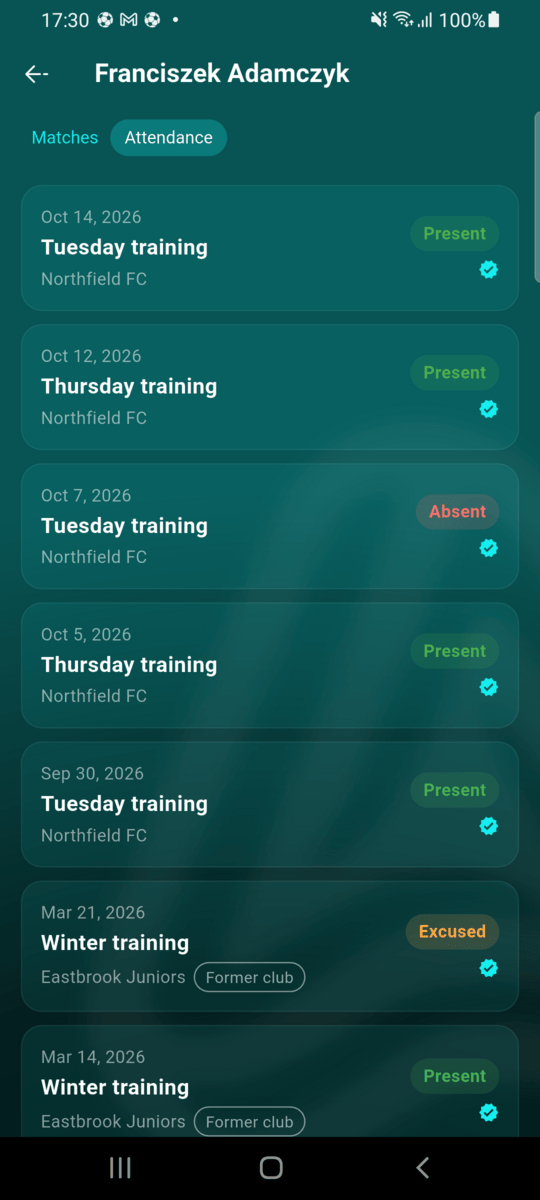
Tap By club to split the same figures by club. Clubs the player has left are marked Former club; their history is still here. A dash (–) means the club didn't record that figure, for example minutes in matches that weren't tracked.
Filter the matches
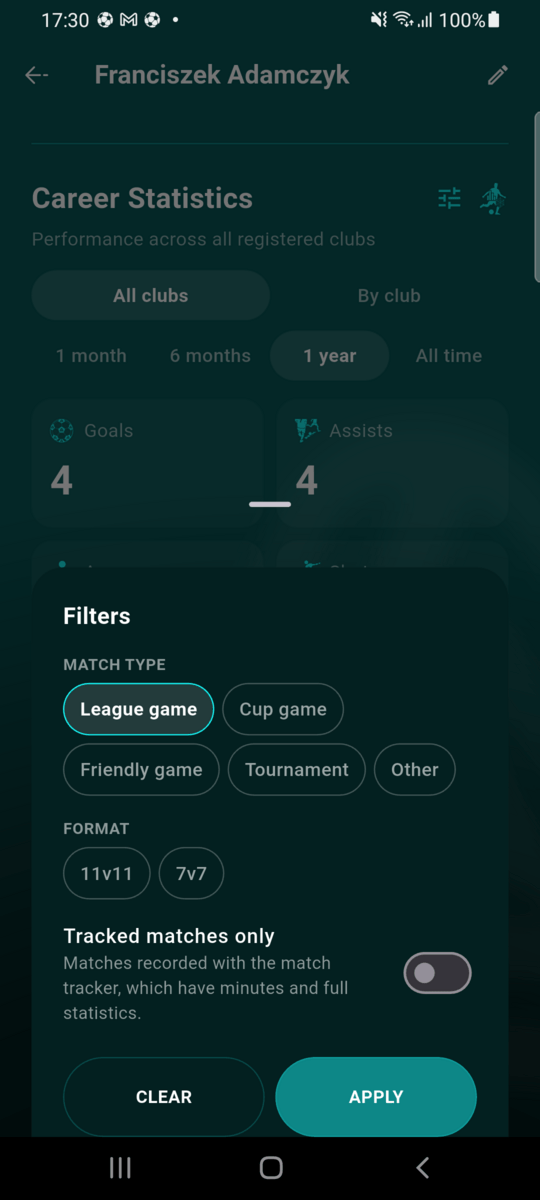
Tap the filter icon next to the title to narrow the matches by match type (league, cup, friendly, tournament or other), by format (such as 11v11 or 7v7), or to tracked matches only, the ones with minutes and full statistics. A dot on the icon shows a filter is on; Clear removes them. Filters apply to matches, not to attendance.
Look at every match
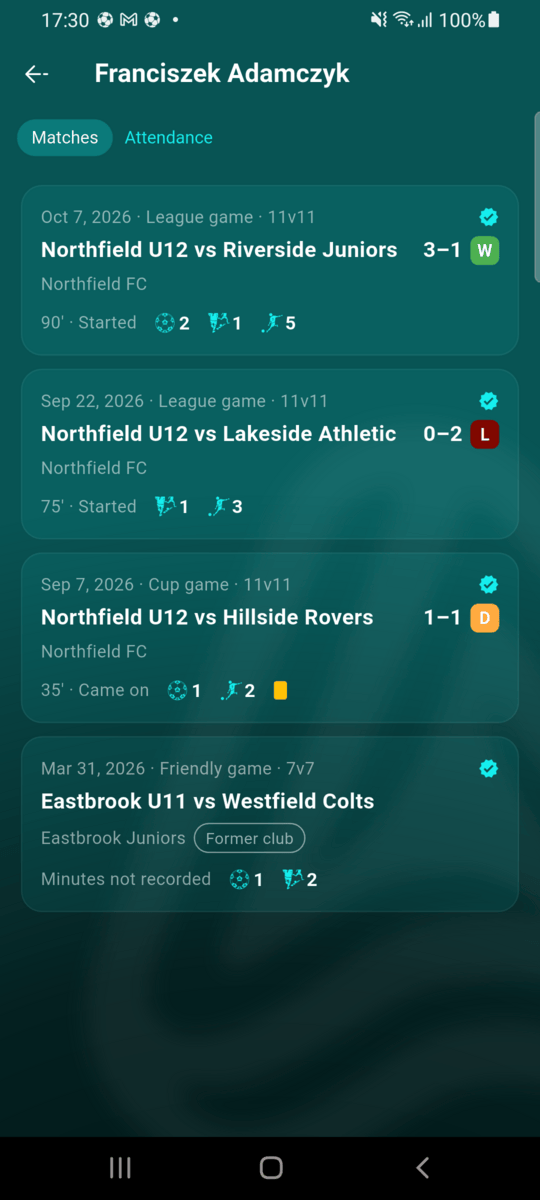
Tap View detailed statistics. The Matches tab lists each match with its date, type and format, the score with a win (W), draw (D) or loss (L), and what the player did: minutes, whether they started or came on, goals, assists, shots and cards.
Check attendance
The Attendance tab lists every training, match and other event the club took attendance for, marked Present, Absent or Excused.
Where the figures come from
Everything in a player's career statistics comes from the clubs' own records, which is why it's marked Verified by the club.
| Kind of match | What's recorded |
|---|---|
| Recorded with the match tracker | Appearance, started or came on, minutes, goals, assists, shots and cards |
| League match with a confirmed result, without the tracker | Appearance, goals and assists the club submitted, and the score |
| Any other match | An appearance when the player was in the match's lineup |
A match counts as an appearance only when the player actually played: they started, came on, or were in the squad on the pitch. Attendance comes from the club's attendance register for each event.
When the figures become final
While a match or event is still being finished, the club can correct it and the career statistics follow those corrections. A record becomes final when:
- a tracked match is completed in the match tracker (if the club resumes the tracker to correct something, the record follows again until it's completed);
- a league match's result is confirmed;
- for other matches and attendance, 24 hours after the meeting time, when the club's attendance register closes.
Once final, a record stays in the player's career statistics even if the player leaves the club, the club deletes the match, or the club itself is deleted. Leaving a club also makes all of that club's records final straight away.