

Club Admin
Safeguarding ratio
Make sure there are always enough adults with your players. Set your club's own rule, such as one member of staff for every eight players and never fewer than two, and Athlo warns your club admins when a training or match in the next three days doesn't meet it, in time to invite more staff.
Who can use it
| Who | What they can do |
|---|---|
| Club admins (anyone who can change the club's settings) | Turn the rule on or off, change it, and receive the alerts |
How the rule works
The rule has two numbers. An event needs at least the minimum number of staff, and one member of staff per so many players, whichever is higher:
| Players invited | 1 staff per 8 players, minimum 2 |
|---|---|
| 6 | 2 staff (the minimum) |
| 12 | 2 staff |
| 17 | 3 staff |
| 25 | 4 staff |
- It applies to trainings and matches.
- It counts the players and staff invited to the event. Anyone who has said they can't come isn't counted.
- An event with no players invited needs no staff.
Step by step
Turn on the safeguarding ratio
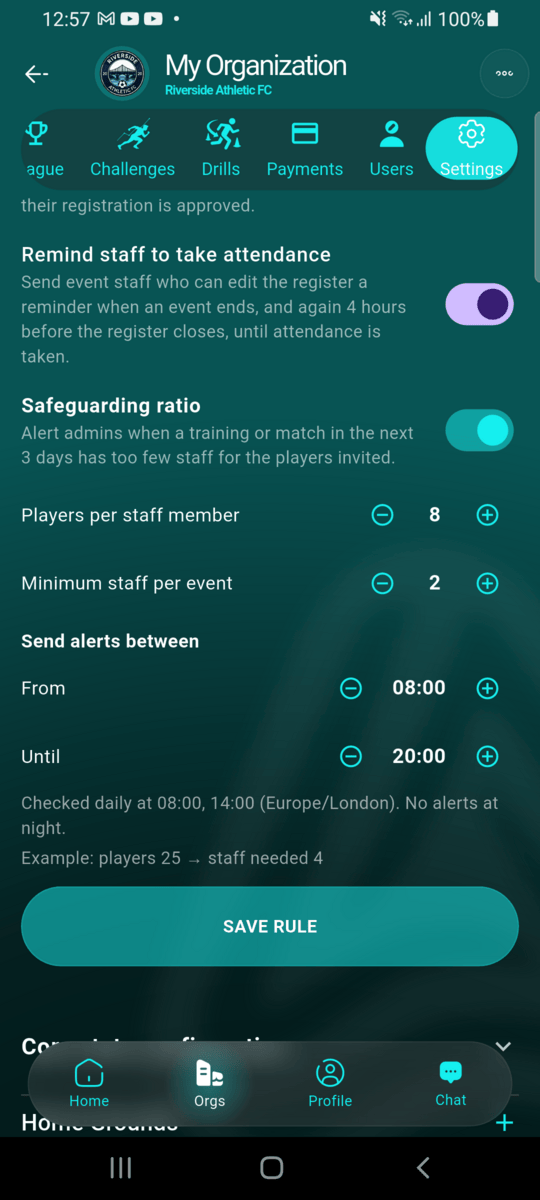
Open your club, go to the Settings tab and switch on Safeguarding ratio. Set Players per staff member and Minimum staff per event with the − and + buttons. The example line shows what a 25-player event would need under your rule.
Under Send alerts between, choose the hours alerts may arrive (08:00 to 20:00 unless you change it), in your club's time zone, so nobody is woken up by an alert at night. Twice a day, at the start and the middle of those hours, Athlo checks every event in the next three days. In between, it checks every hour for events starting in the next 24 hours, so a coach dropping out the afternoon before a match is still caught. Tap SAVE RULE.
Get alerted about an event that's short of staff
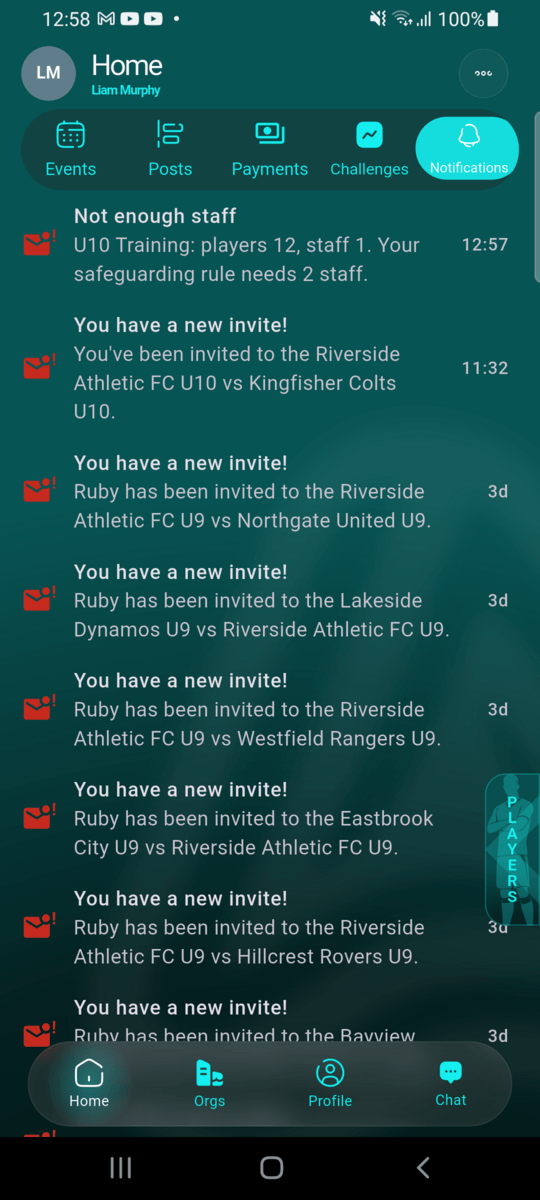
When a training or match in the next three days has fewer staff than your rule needs, every club admin gets a Not enough staff notification. It names the event, how many players and staff it has, and how many staff your rule needs.
Invite more staff
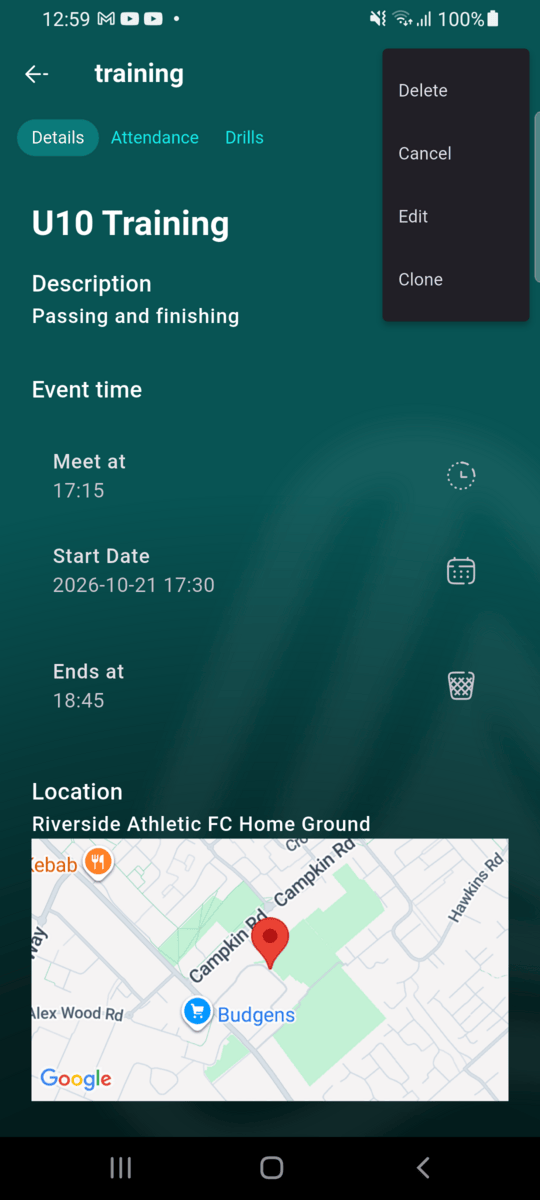
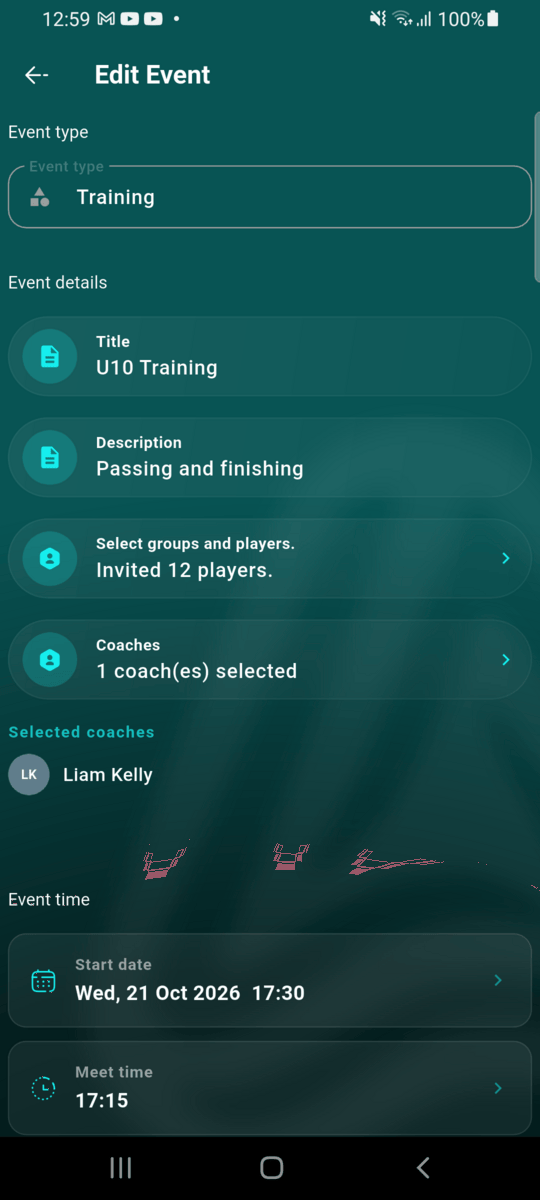
Tap the notification to open the event. Open the menu at the top right, choose Edit, and add staff under Coaches (for a match, Managers). Tap UPDATE to save.
The event meets your rule
You get one alert per event while it's short of staff, not a new one every check. Once the event has enough staff, Athlo notices at the next check. If it falls short again later, for example because a coach can no longer come, you're alerted again.
Good to know
- Alerts only cover events starting in the next three days, so there's still time to find cover.
- Your club's time zone is taken from your phone the first time you switch the rule on, and shown in the Checked daily line. Saving the rule from abroad doesn't change it. To move the club to your phone's time zone, tap Use this device's time zone.
- Alerts never arrive outside your alert hours. If an event becomes short of staff after they end, for example late in the evening before an early-morning training, there's no alert before it starts.
- Turning the rule off stops the alerts straight away. Turning it back on picks up from the next check; events you were already alerted about aren't sent again.
- The rule is a reminder, not a block: you can still create and run an event that doesn't meet it.