

League Management
Player transfers
A transfer moves a player from one club's roster to another's, inside the same league season — without losing their match history. It takes sign-off from three parties in sequence: the releasing club, the receiving club, and the league admin. This guide walks through the full chain using a real transfer from a live season: Jack Murphy moving from Riverside Athletic FC U8 to Westfield Rangers U8 in the Cambridge Youth Football League.
Who does what
| Stage | Actor | Action |
|---|---|---|
| 1. Propose | Receiving club | Starts the transfer — only the club gaining the player can propose one. |
| 2. Release | Releasing club | Approves letting the player go, or rejects the proposal. |
| 3. Register | Player / guardian | Completes registration with the receiving club, if not already registered there. |
| 4. Confirm | Receiving club | Confirms the player has actually registered with them. |
| 5. Approve | League admin | Gives final sign-off — this is what actually moves the player's roster spot. |
Step by step
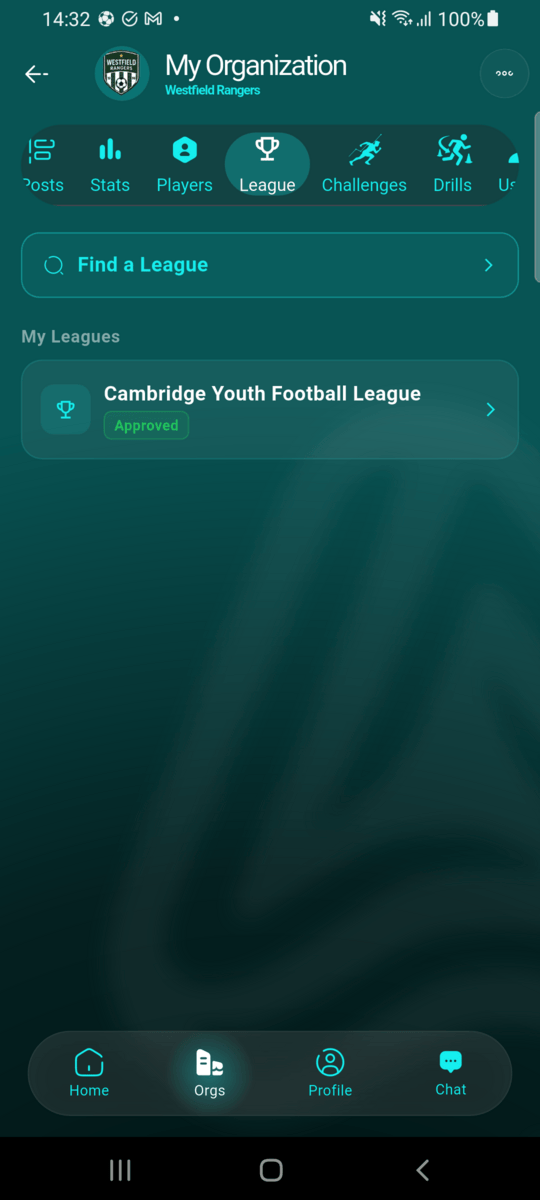
Find the league from your club page
Open your club, go to the League tab, and select the league season you want to manage transfers for.
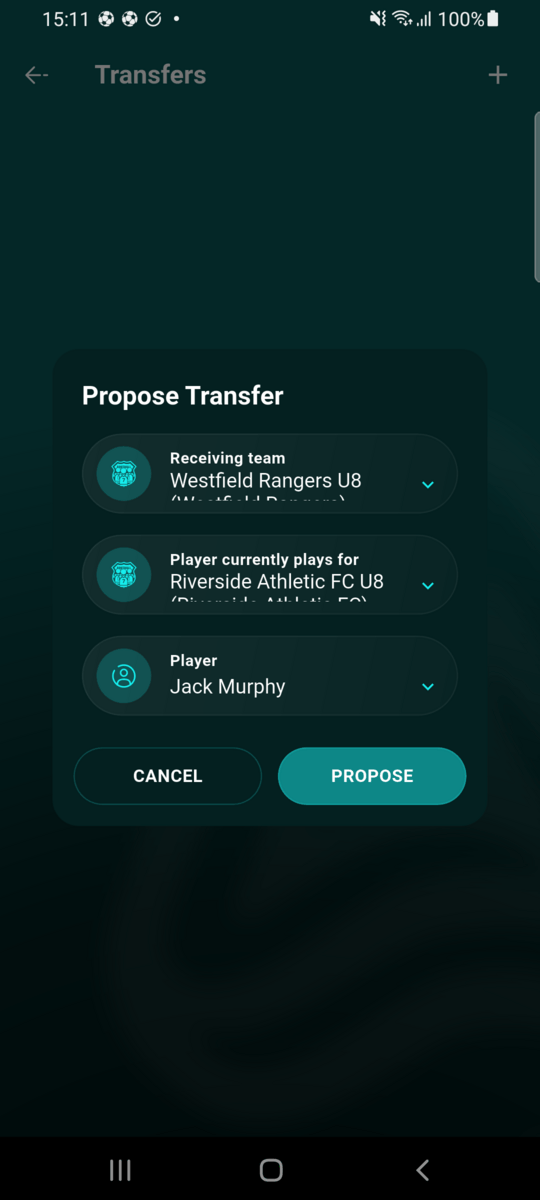
Propose the transfer
From the season's Transfers screen, tap the
+ icon. Pick the team you're receiving the player
into, the team they currently play for, and the player
themselves — then tap Propose.

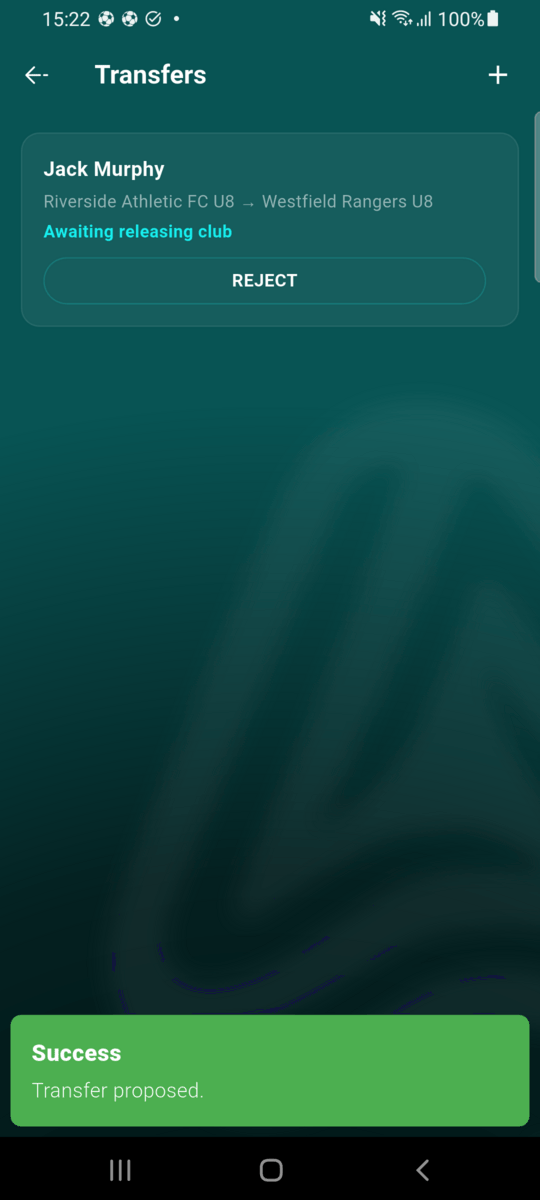
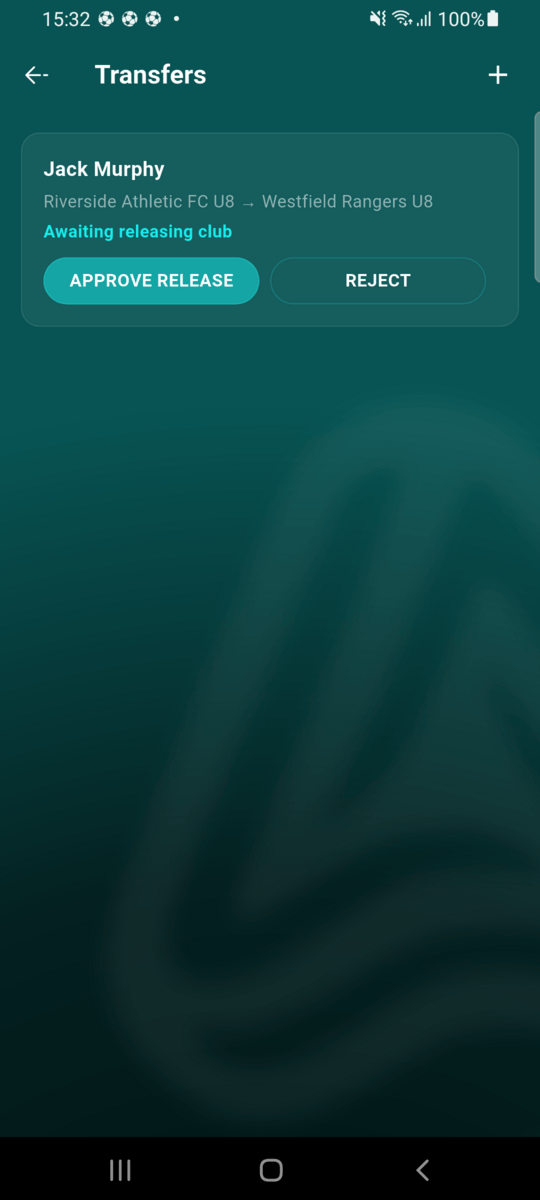
Approve the release
The proposal now shows as Awaiting releasing club on both clubs' Transfers screens. Riverside Athletic FC — the player's current club — reviews it and taps Approve Release, or rejects it if they'd rather keep the player.
Register with the receiving club
As soon as the transfer is proposed, the player's profile owner gets a notification to complete registration with the receiving club — this can happen before or after the release is approved. If they're already registered there, this step is already done.
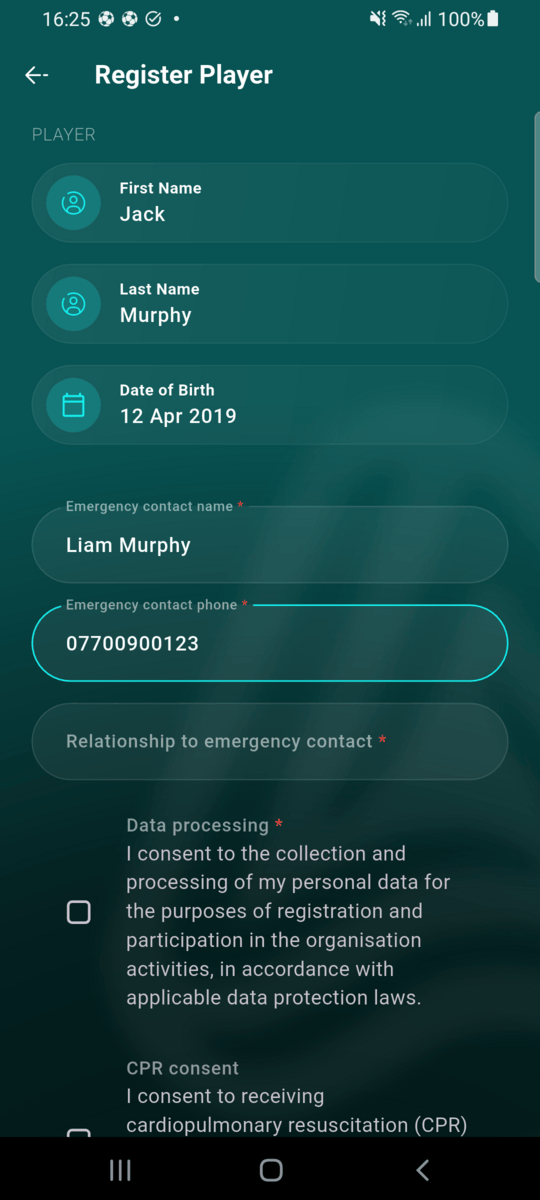
Confirm receipt
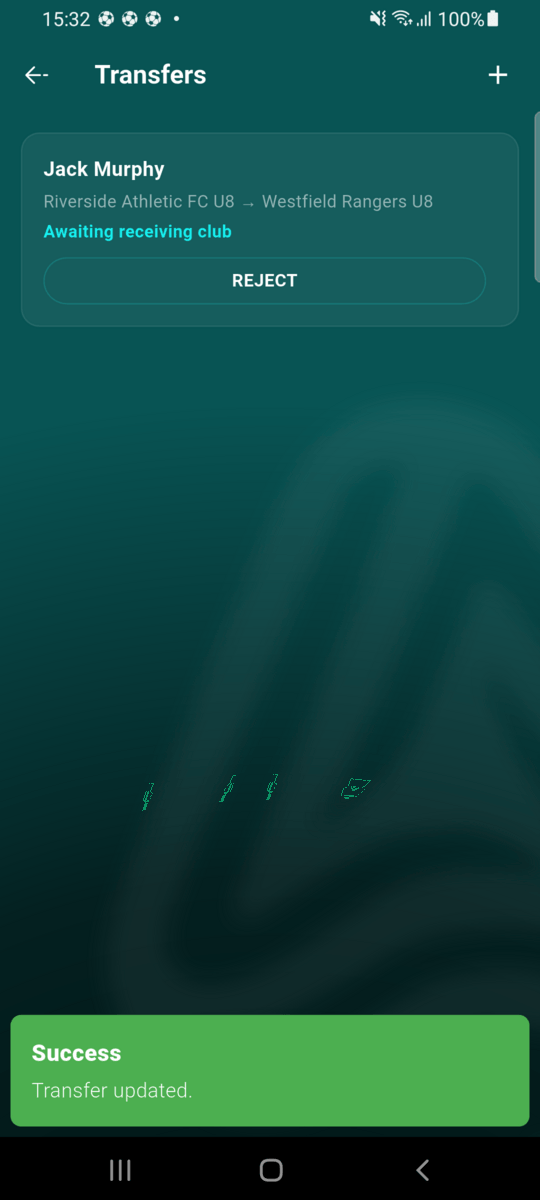
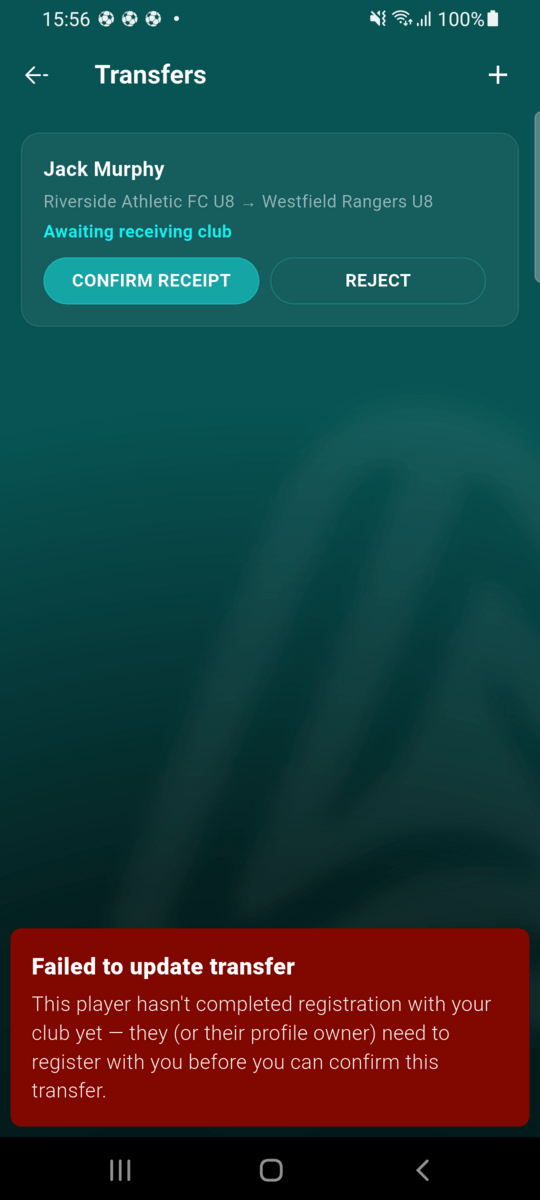
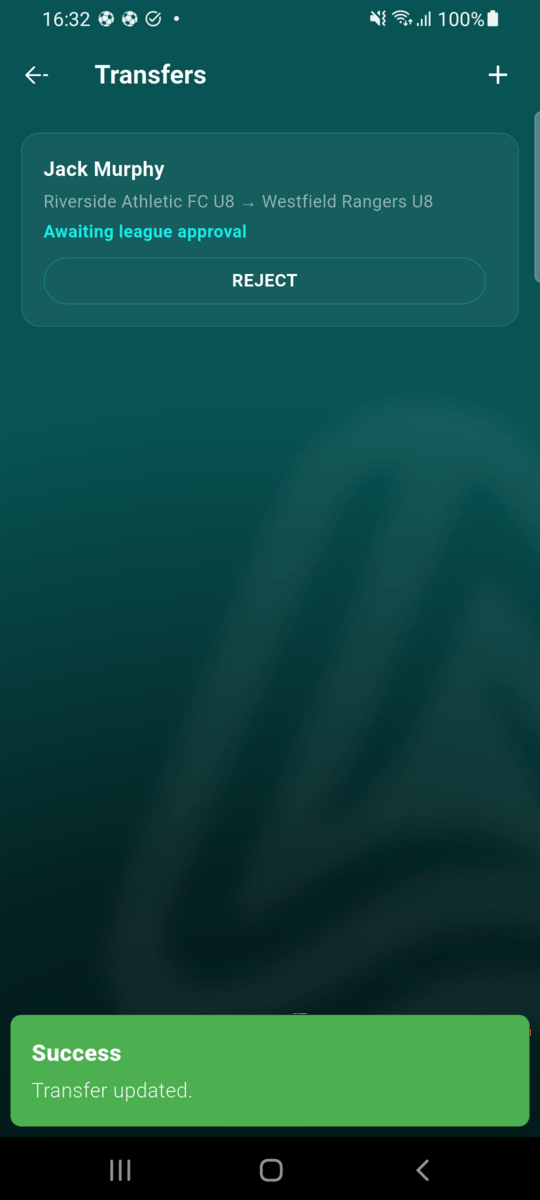
Once released, the transfer moves to Awaiting receiving club. Westfield Rangers taps Confirm Receipt — but only once Jack is actually registered with them. Confirming too early is blocked with a plain-language explanation, not a raw error.
Give final approval
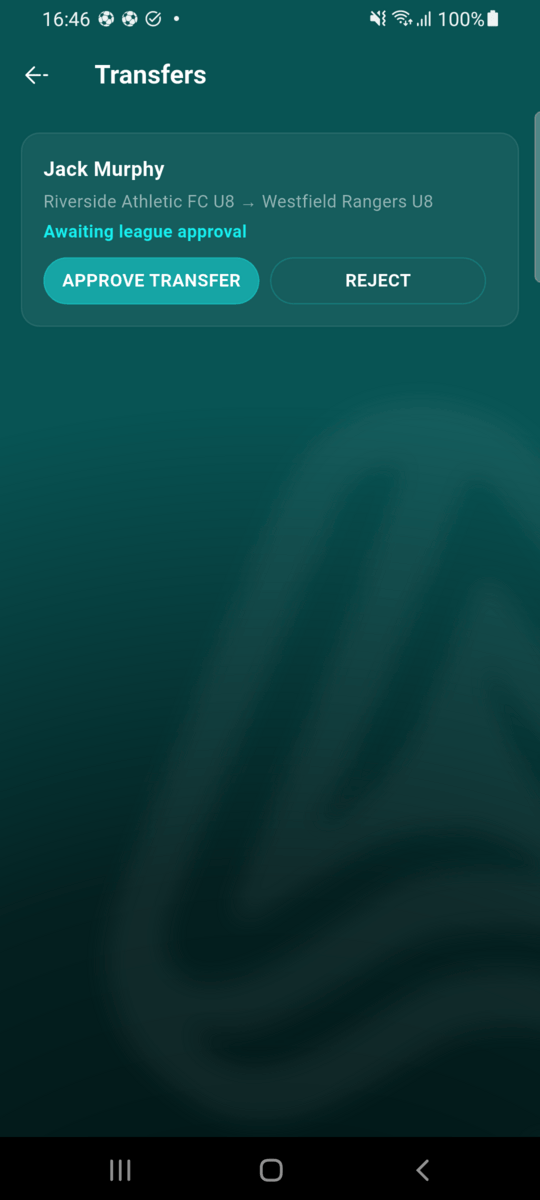
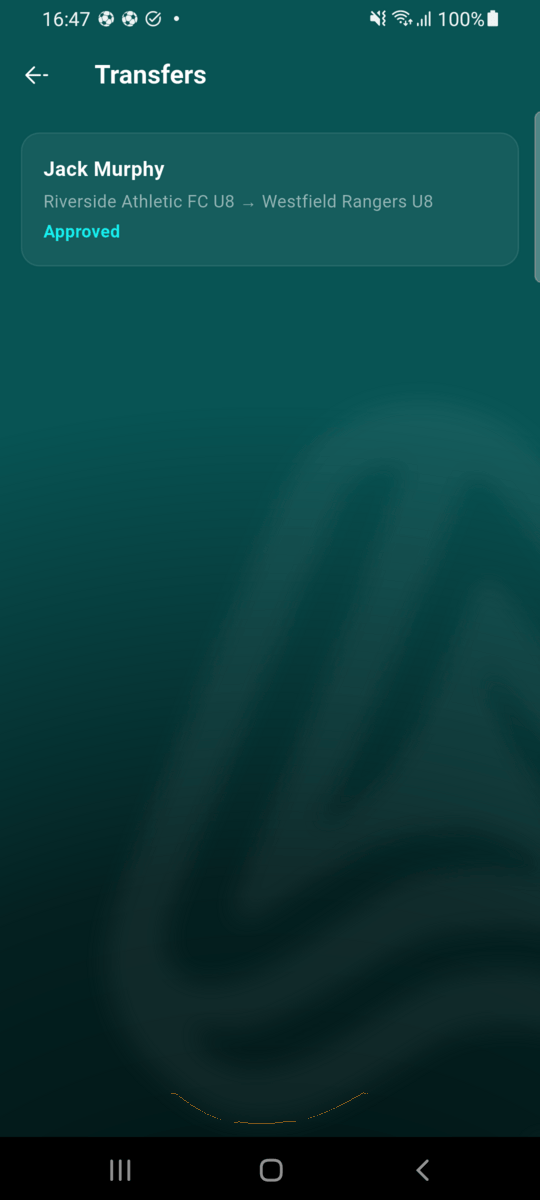
Both clubs have now signed off. From the league's season standings screen, the league admin opens Review Transfers, checks the details, and taps Approve Transfer. This is the step that actually moves the player onto the new team's roster.
Player appears on the new roster
Jack Murphy now shows up under Westfield Rangers' Players list, fully rostered for the U8 team.

Notifications sent along the way
| When | Who's notified | Message |
|---|---|---|
| Proposed | Releasing club | “Player transfer requested” |
| Proposed | Player's profile owner | “Register with the new club to complete this transfer” |
| Proposed | League admin | “New player transfer proposed” |
| Released | Receiving club | “Player transfer released — please confirm” |
| Confirmed | League admin | “Player transfer awaiting final approval” |
What happens to stats and fixtures
A transfer doesn't erase history. Goals and assists scored before and after the move are combined under the player's profile on the league's Top Scorers board, rather than splitting into two entries for the same person. Any of the player's future match invites for their old team are removed automatically, since they're no longer part of that roster — past match records are untouched.
Rejecting a transfer
A transfer can be rejected by the releasing club, the receiving club, or the league admin — at any point before final approval. Once rejected, it's final: a new transfer has to be proposed from scratch if the move is reconsidered later.