
Account
Reporting and blocking
Anywhere you see content posted by someone else — a club post, a comment, a chat message, or a shared challenge result — you can report it to Athlo's team or block the person who posted it, directly from that content. Neither requires contacting support.
What's the difference
| Action | What it does |
|---|---|
| Report | Sends the content to Athlo's team for review within 24 hours. The person isn't notified. |
| Block | Immediately hides everything from that person — posts, comments, chat messages — and hides your content from them too. Reversible any time from your Blocked Users list. |
The two are independent — report without blocking, block without reporting, or do both from the same report sheet in one step.
Step by step
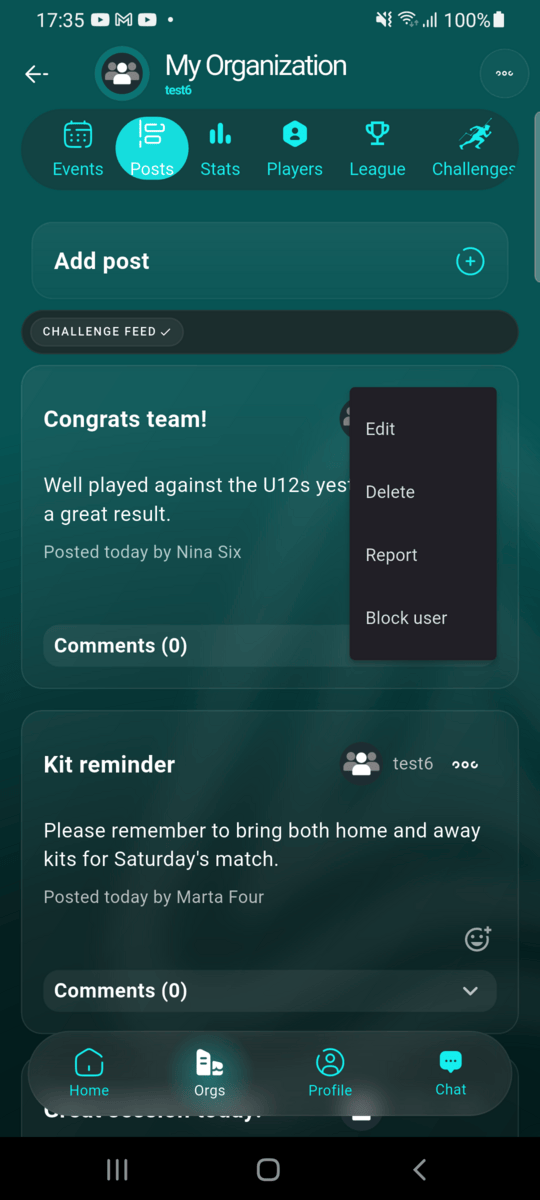
Open the menu on the content
On a post, comment, chat message, or challenge progress entry from another user, tap its ⋯ menu. Alongside any actions you have for your own content, you'll see Report and Block user — you never see these on your own content.
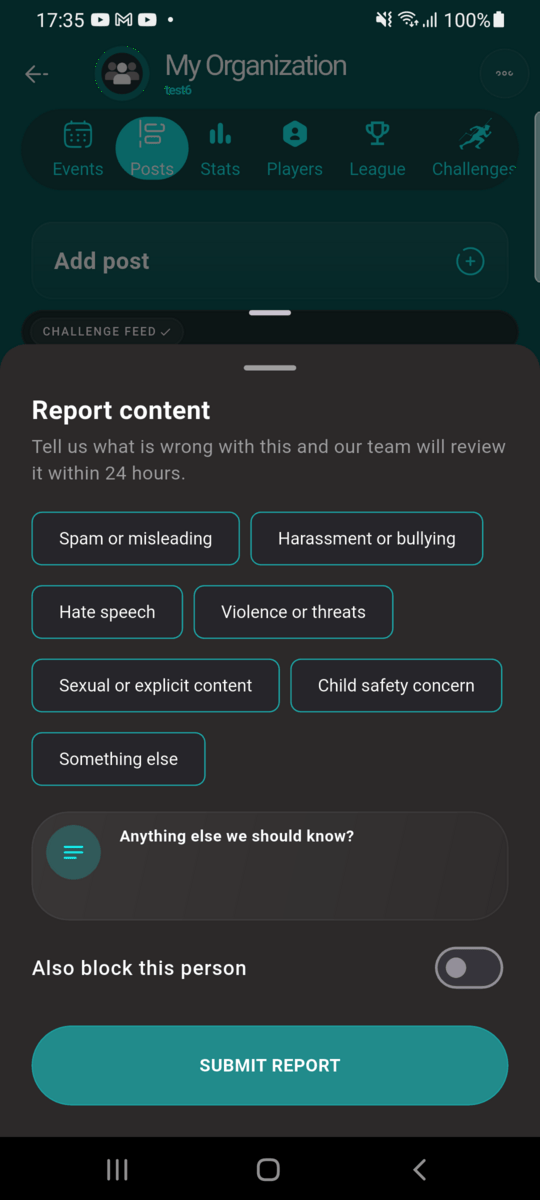
Reporting content
Pick a reason, optionally add details, and submit. You can also toggle Also block this person right on the report sheet to do both at once.
Blocking someone
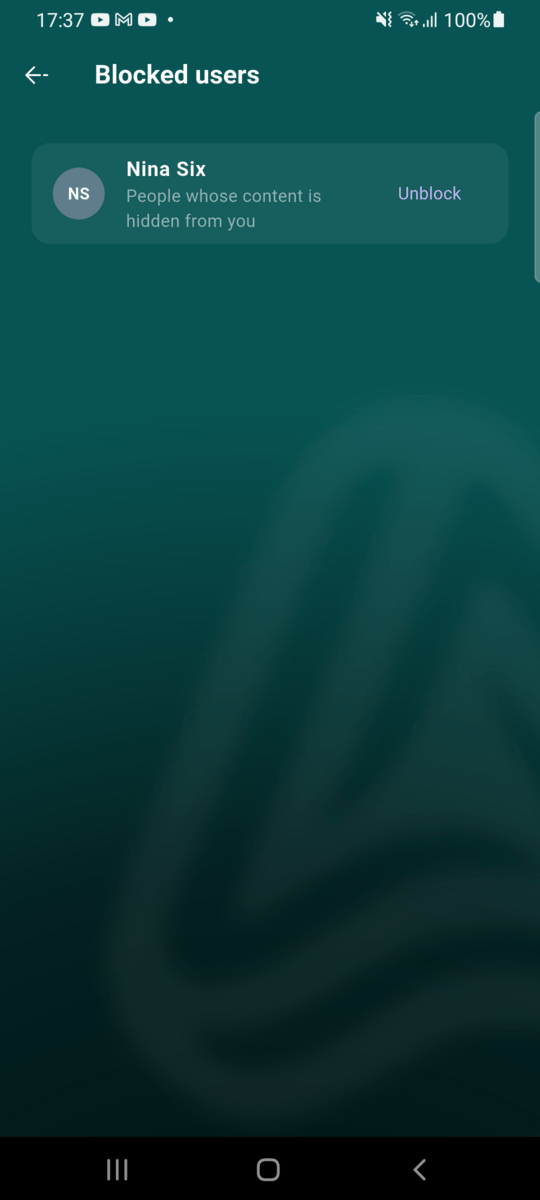
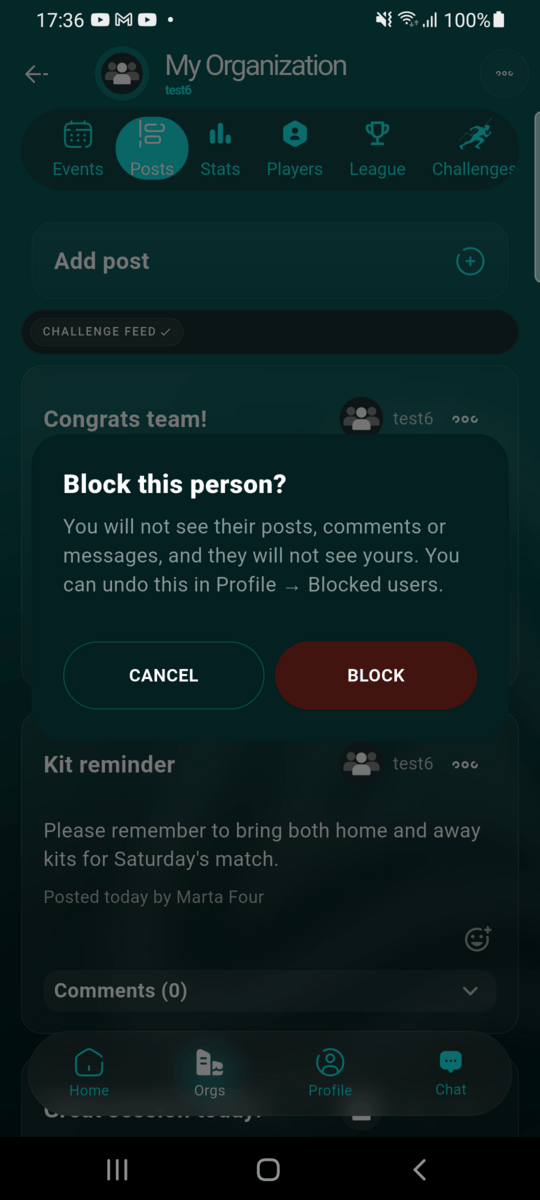
Tap Block user directly (no report needed) and confirm. You can undo this any time from Profile → Blocked users.
Their content disappears immediately
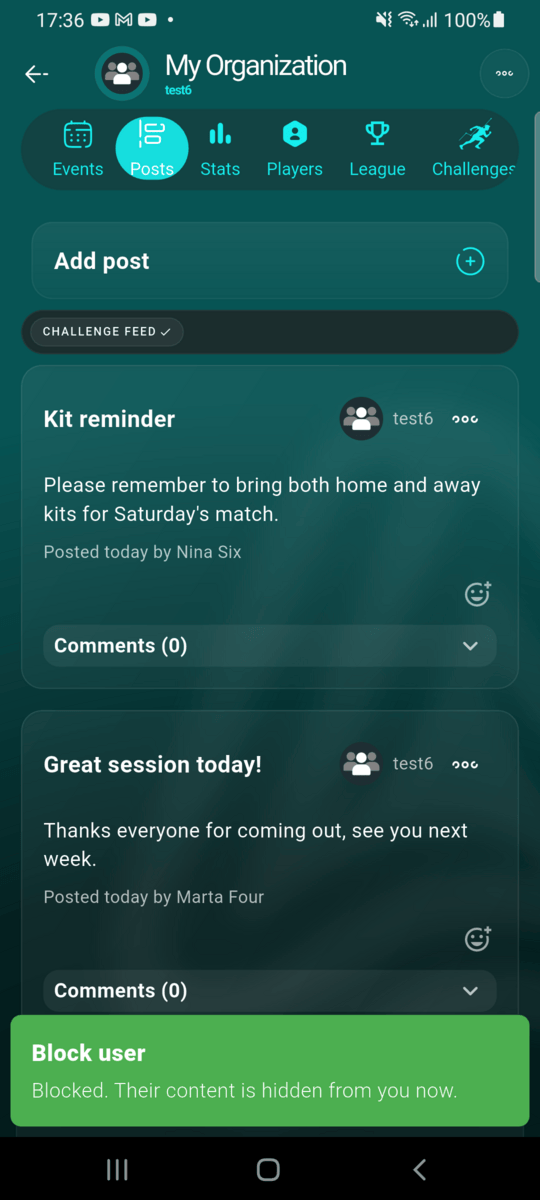
As soon as you block someone, their existing posts, comments and messages drop out of your feeds right away — you don't need to refresh or wait.
Managing who you've blocked
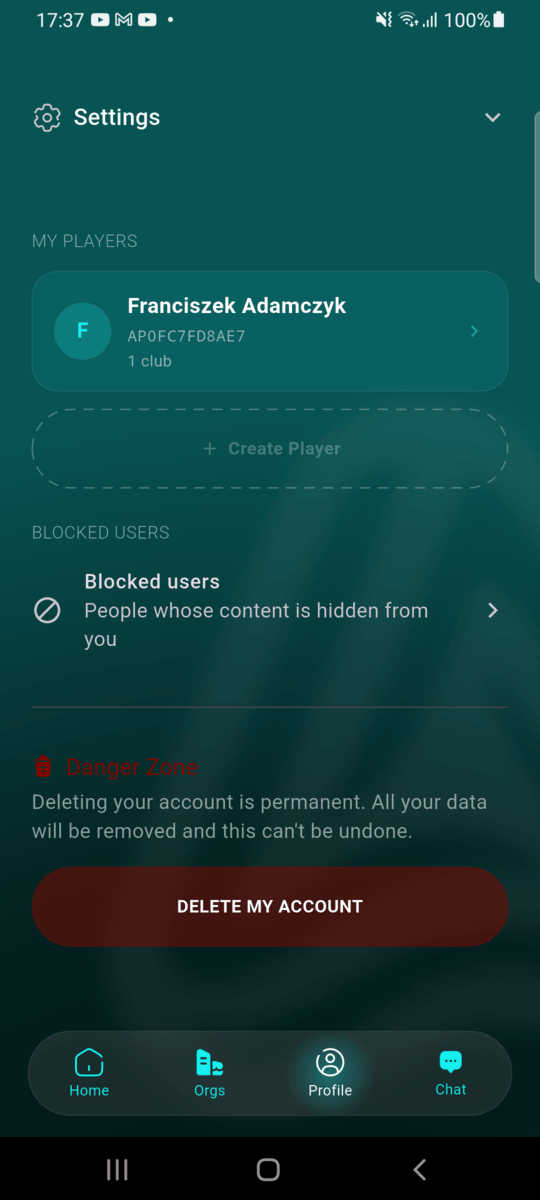
From the Profile tab, scroll past My Players to the always-visible Blocked Users section — it's not tucked inside Settings, since it's something you may need to reach quickly. Tap it to see everyone you've blocked and unblock anyone from there.