

Club Admin
Creating a match
A match in Athlo is an event on your club's calendar: who you're playing, who's invited, when everyone meets and where. This guide walks through creating a home friendly for Riverside Athletic FC U10 against Kingfisher Colts U10, both by inviting a whole team in one go and by picking players one at a time.
Before you start
You need permission to create events in your club. Inviting a team in one tap only works for teams that already exist, see Managing teams. You can still create a match without a team and choose players by hand.
Step by step
Open your club's Events tab
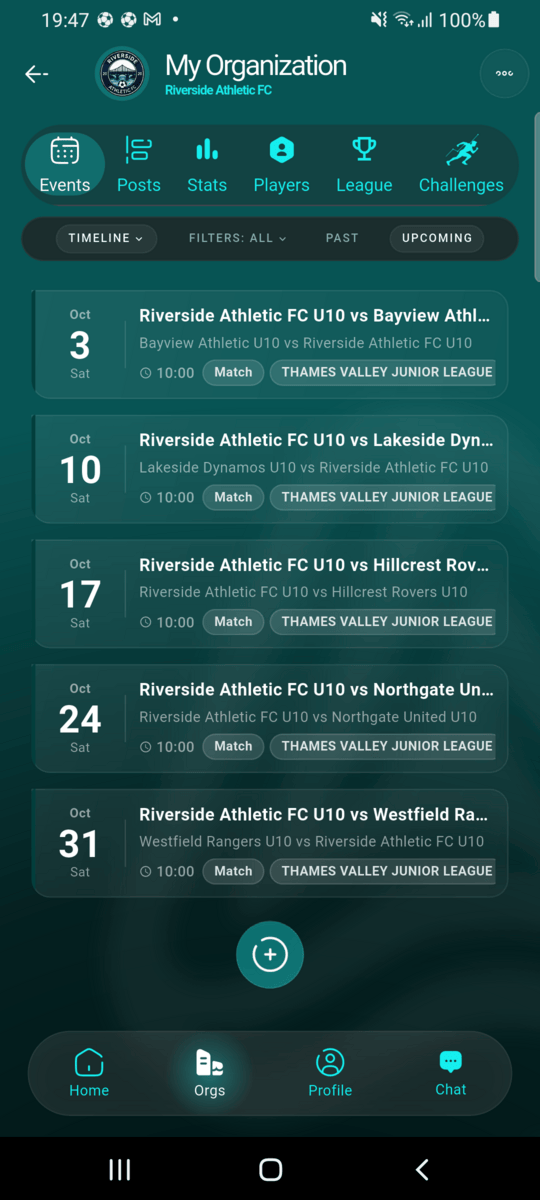
From your club's page, stay on Events and tap the round + button at the bottom of the list.
Choose Match as the event type
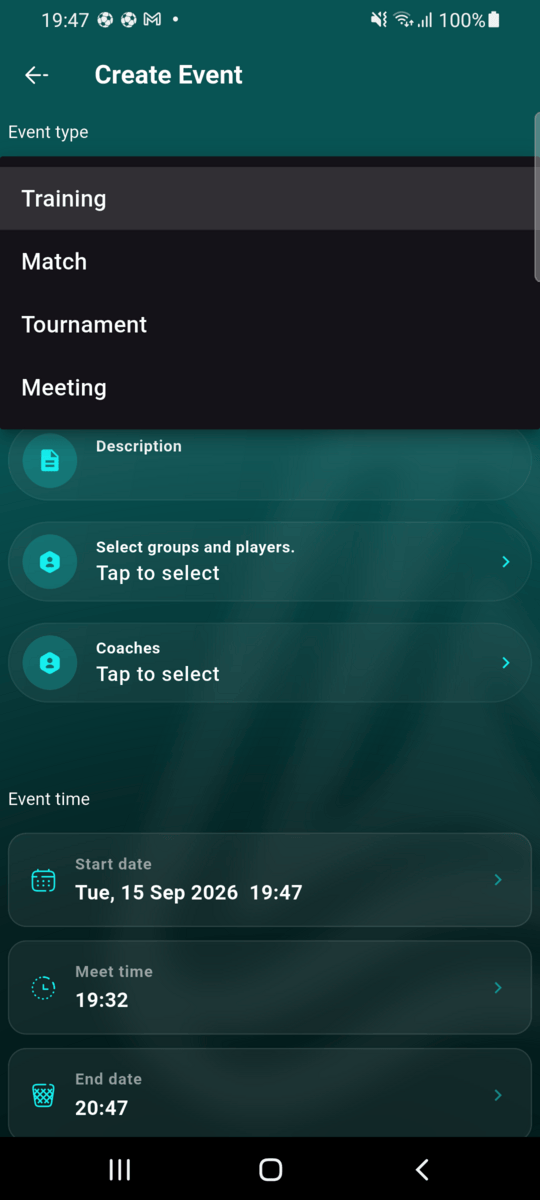
The form opens on Training. Tap the Event type field and choose Match. Tournament and Meeting are also here if you need them.
Set home or away, and the kind of game
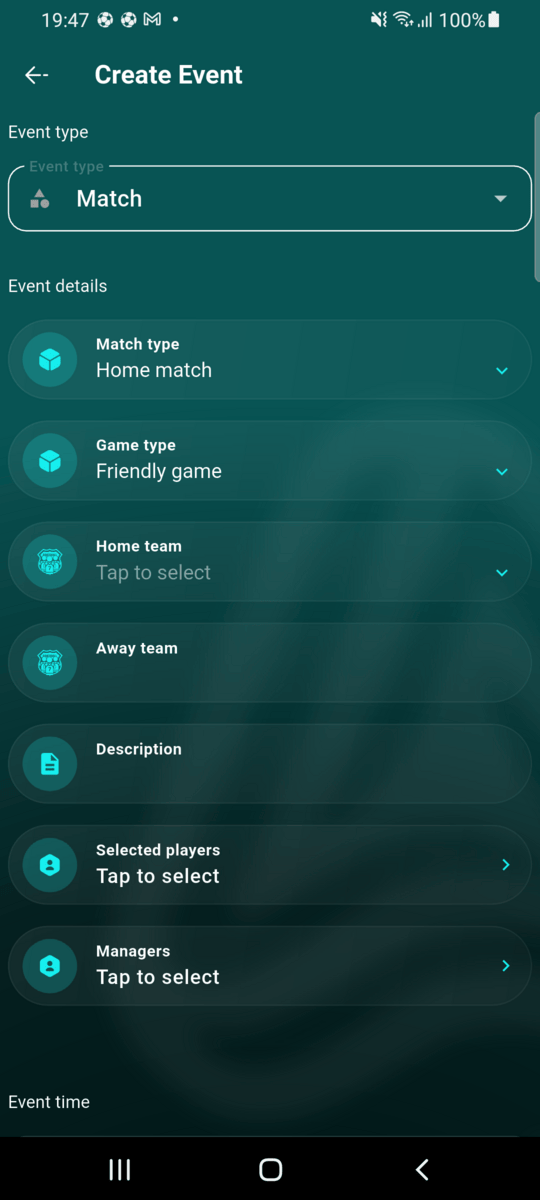
Match type is Home match or Away match. It decides which side your team is shown on. Game type is Friendly game, League or Cup.
For a home match you pick your team under Home team and type the opponent's name under Away team. For an away match it's the other way round.
Option A: pick your team to invite everyone in it
Tap your team field and choose one of your club's teams. Athlo invites all of that team's players straight away ("Invited 8 players") and adds the team's staff as Managers. Then type the opponent's name.
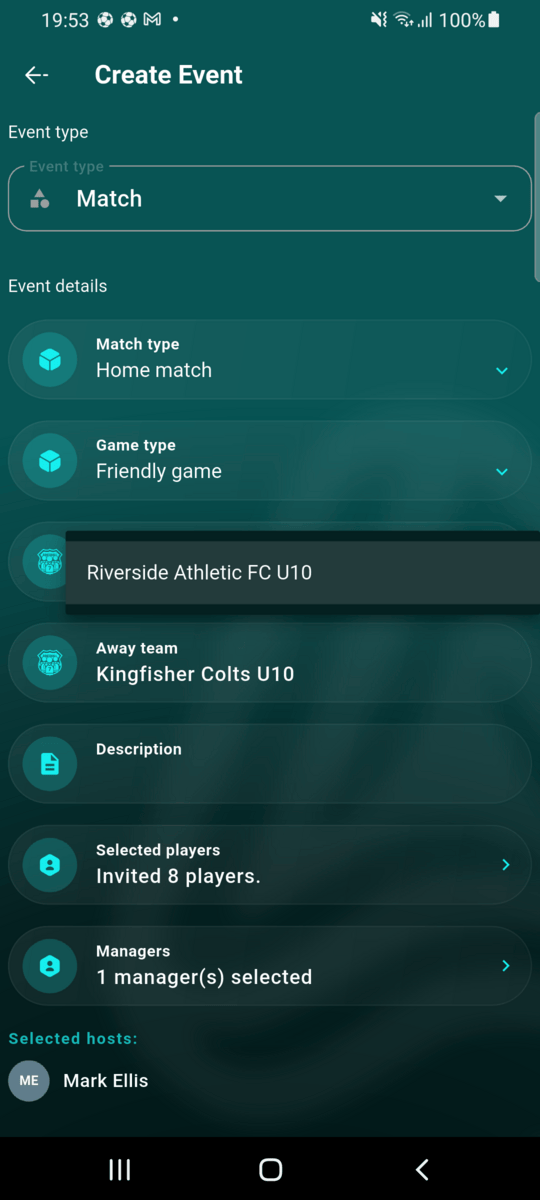
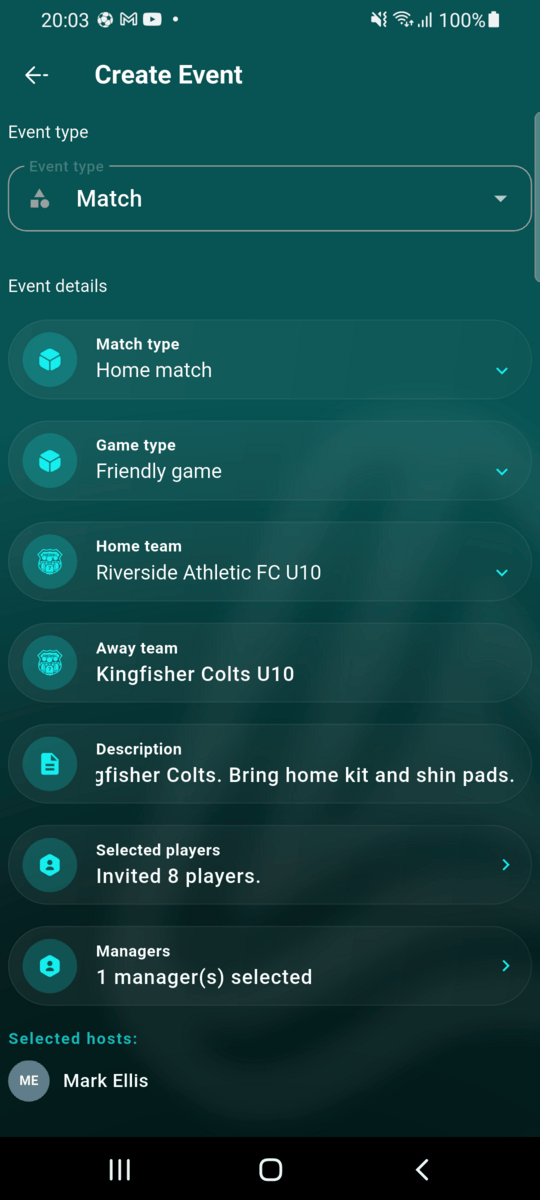
You can still change the list: tap Selected players to untick anyone who isn't available, or add a player from another team.
Option B: no team, choose players one by one
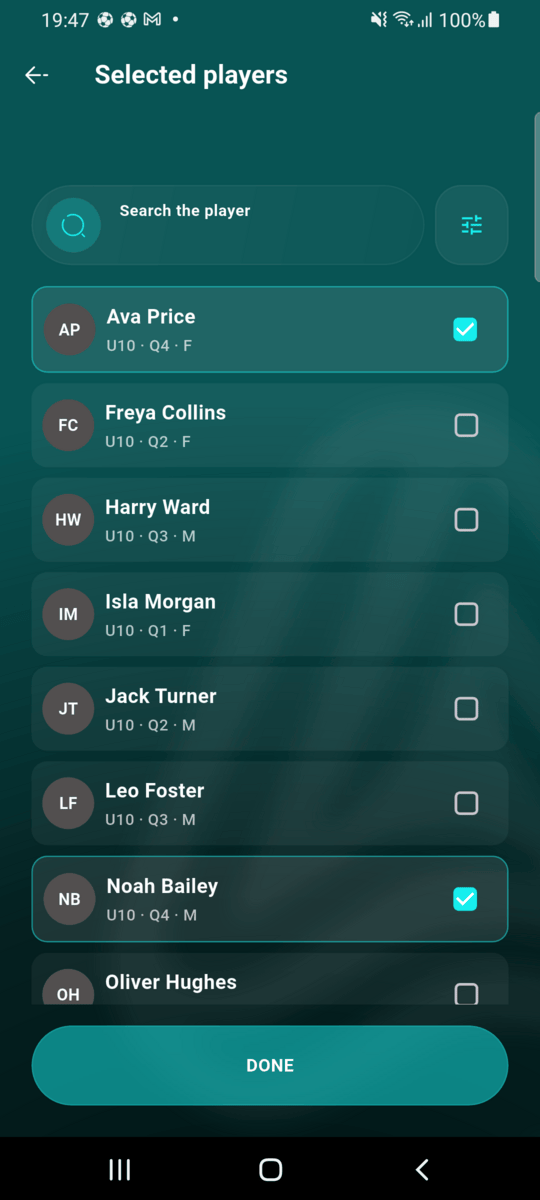
Leave the team field empty and tap Selected players. You'll see every player in the club with their age group, birth quarter and sex. Search by name, or use the filter button to narrow the list by age group, quarter or sex. Tick the players you want and tap DONE.
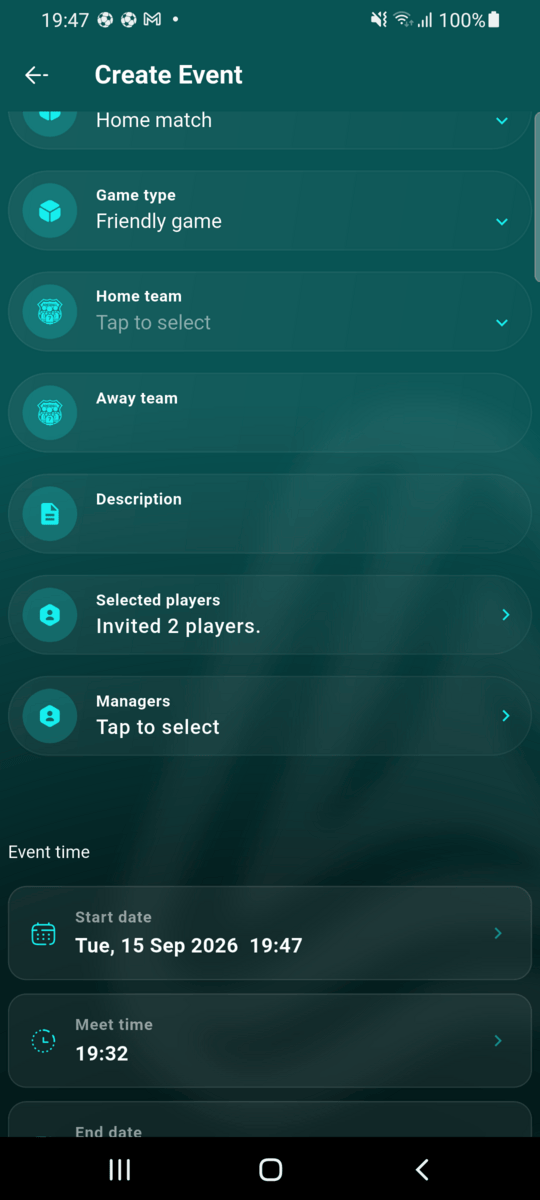
With no team chosen, nobody is added as a manager automatically. Use Managers to pick the coaches for this match.
Add a description
The description is required. Use it for what players and parents need to know: kit colour, what to bring, parking. It's shown on the event and in the calendar list.
Set the start, meet and end times
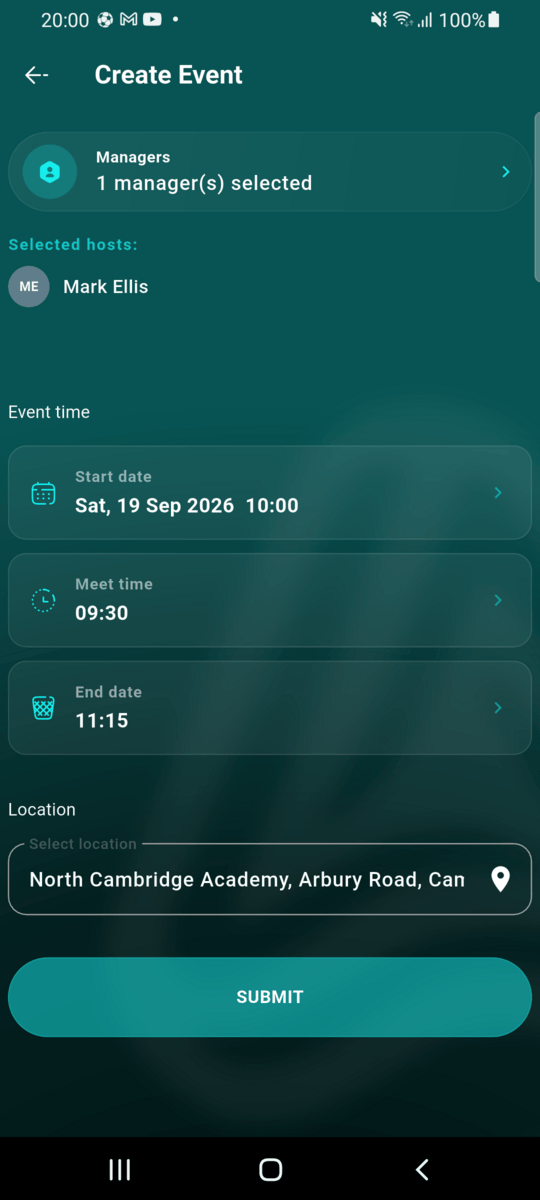
Under Event time:
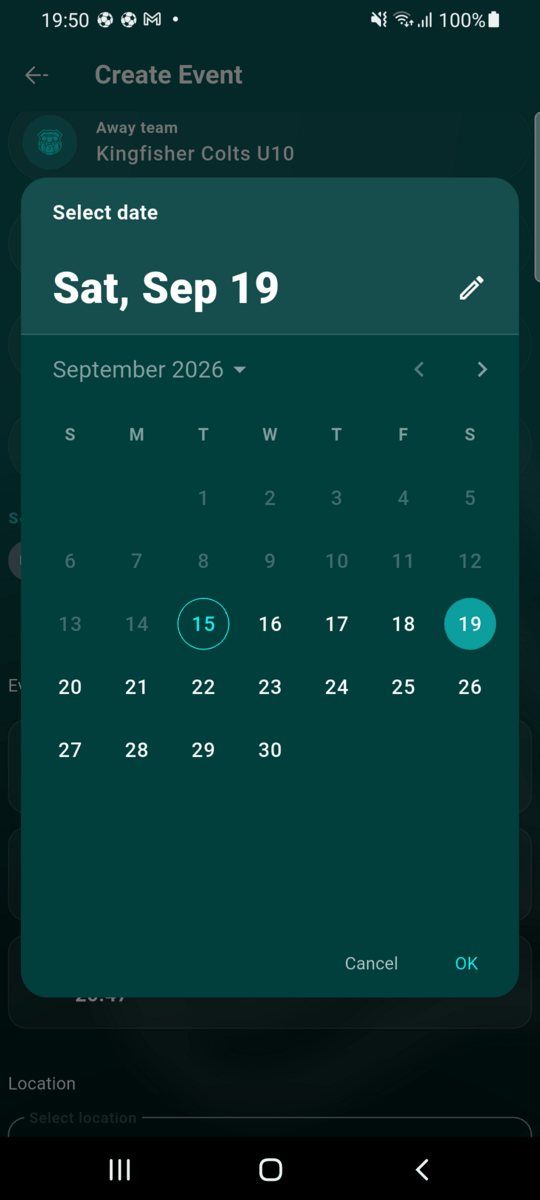
- Start date is kick-off. Pick the day, then the time.
- Meet time is when players should arrive. It moves with the start time and can't be later than kick-off.
- End date is when the match finishes.
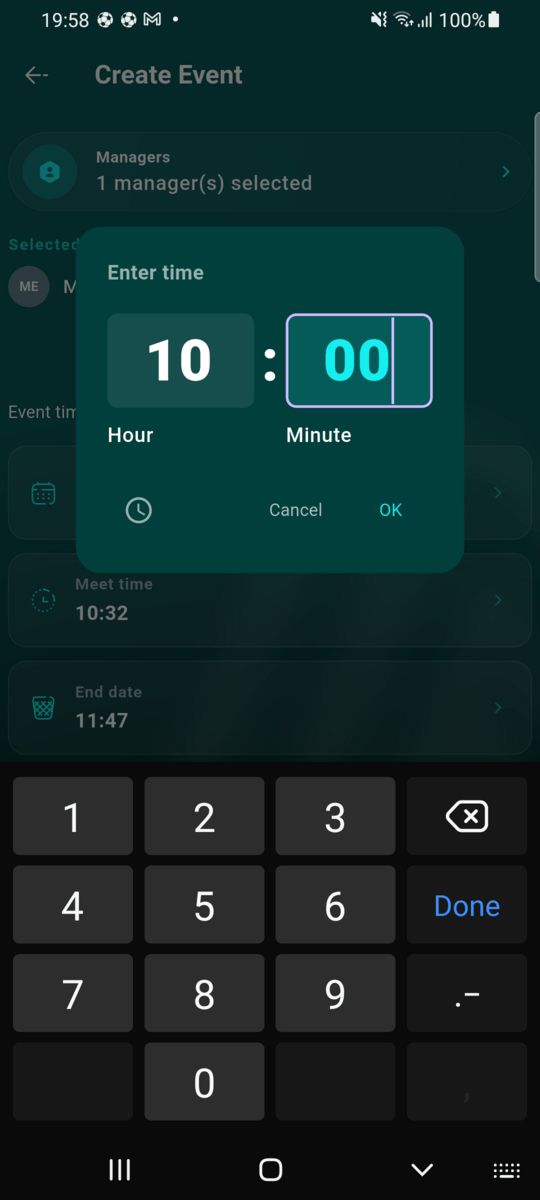
Tip: in the time picker, tap the keyboard icon to type the time instead of turning the clock dial.
Choose the location and submit
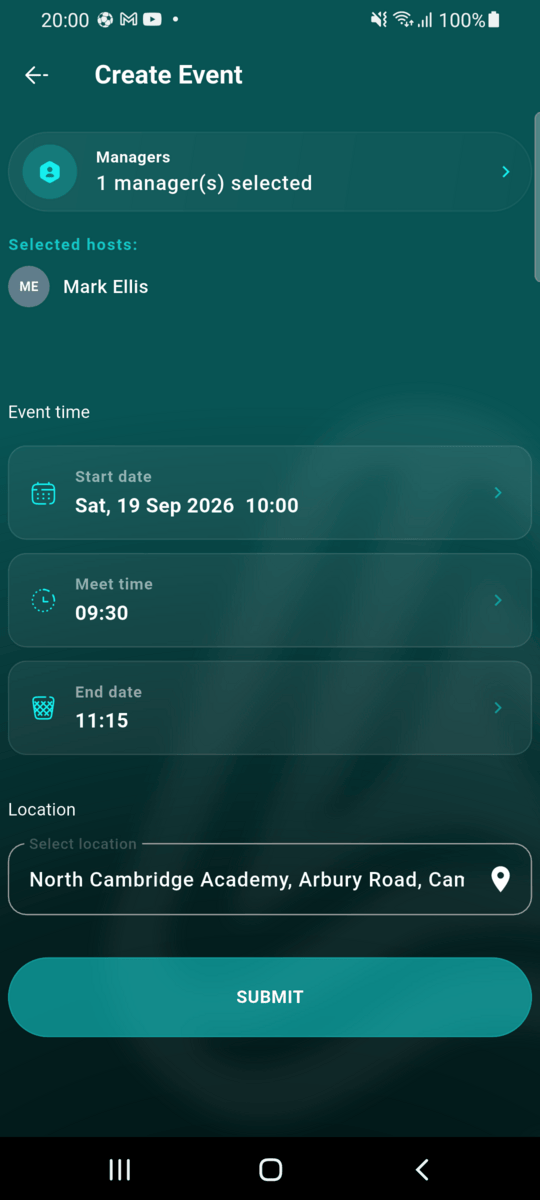
A location is required. Your club's home ground is filled in if you have one. Tap the pin to pick a different place. Then tap SUBMIT.
The match is on the calendar and everyone is invited
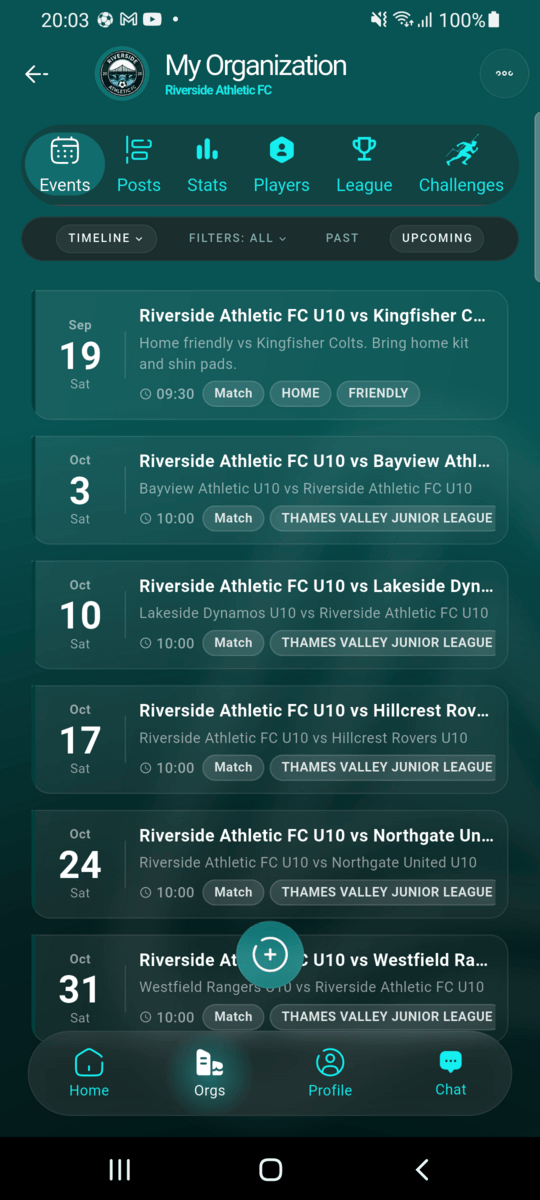
The match appears on your club's Events tab, tagged HOME and FRIENDLY, showing the meet time. Invited players and managers are notified and can accept or decline.
After the match is created
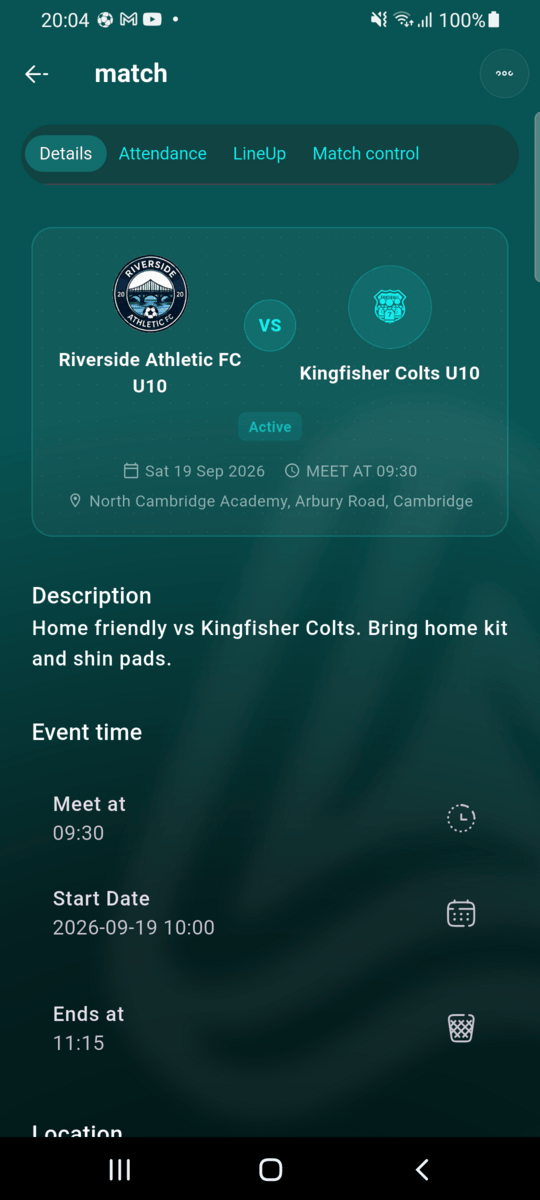
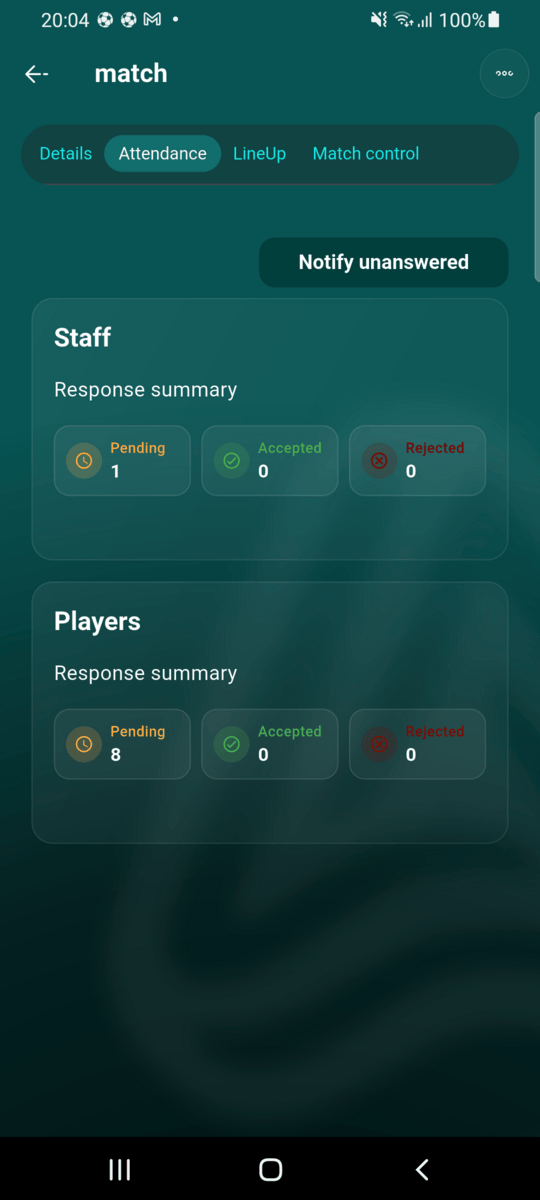
Open the match to see four tabs. Details shows the times and place. Attendance shows who has accepted, declined or not answered yet. Notify unanswered sends a reminder to anyone who hasn't replied. LineUp and Match control are where you build the starting lineup and track the game, see Match tracker. Once the match has started, its lineup can't be edited any more; changes go through the tracker.
To change the date, time, place or invited players later, open the match and use the menu in the top-right corner to edit it.