

Account
Deleting your account
You can permanently delete your Athlo account and its data at any time, from inside the app — you don't need to contact support. This is irreversible: once it's done, there's no way to recover your account.
Step by step
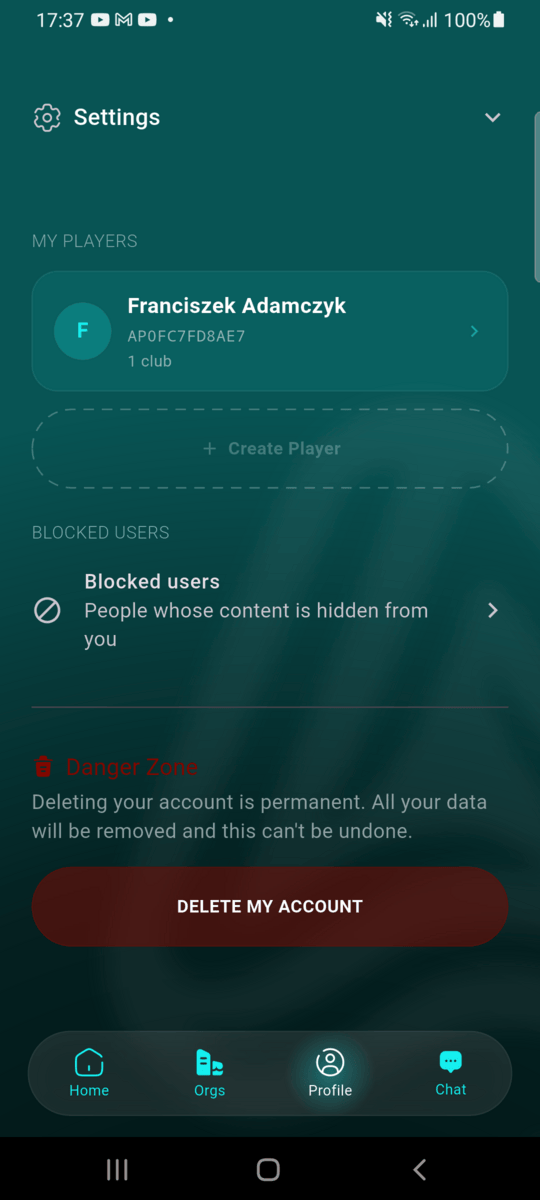
Open Profile and scroll to Danger Zone
From the Profile tab, scroll past My Players and Blocked Users to the Danger Zone section near the bottom. Tap Delete My Account.
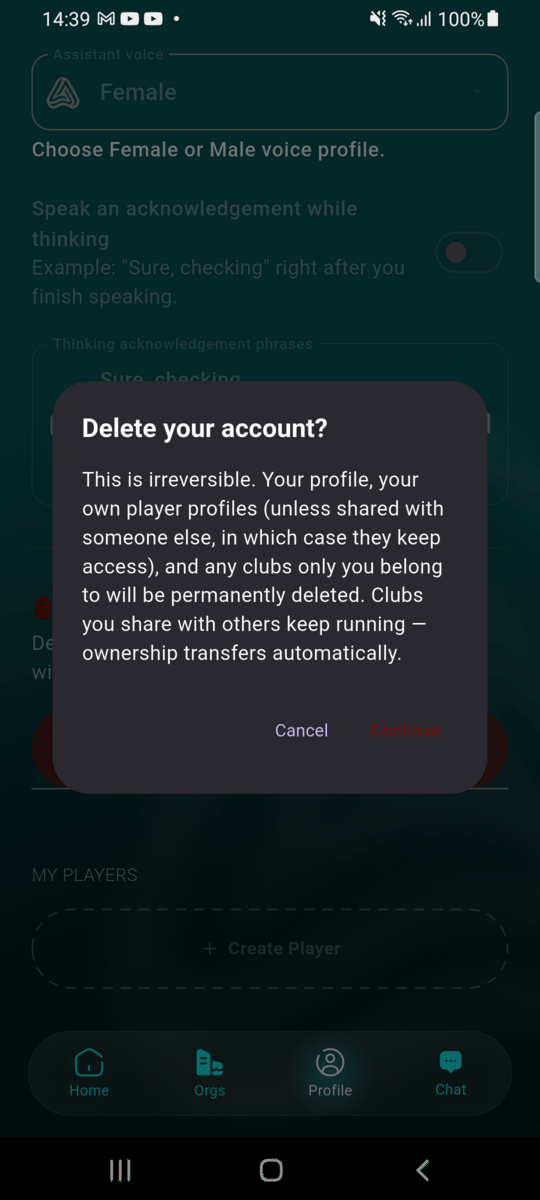
Read and confirm the warning
The first screen explains exactly what happens — read it, then tap Continue if you're sure.
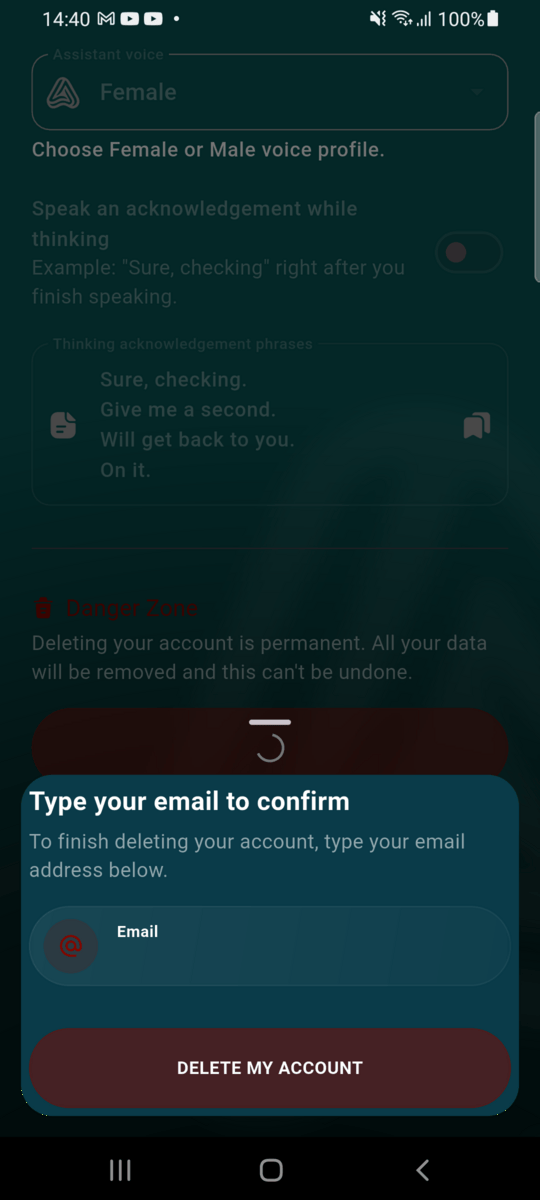
Type your email to confirm
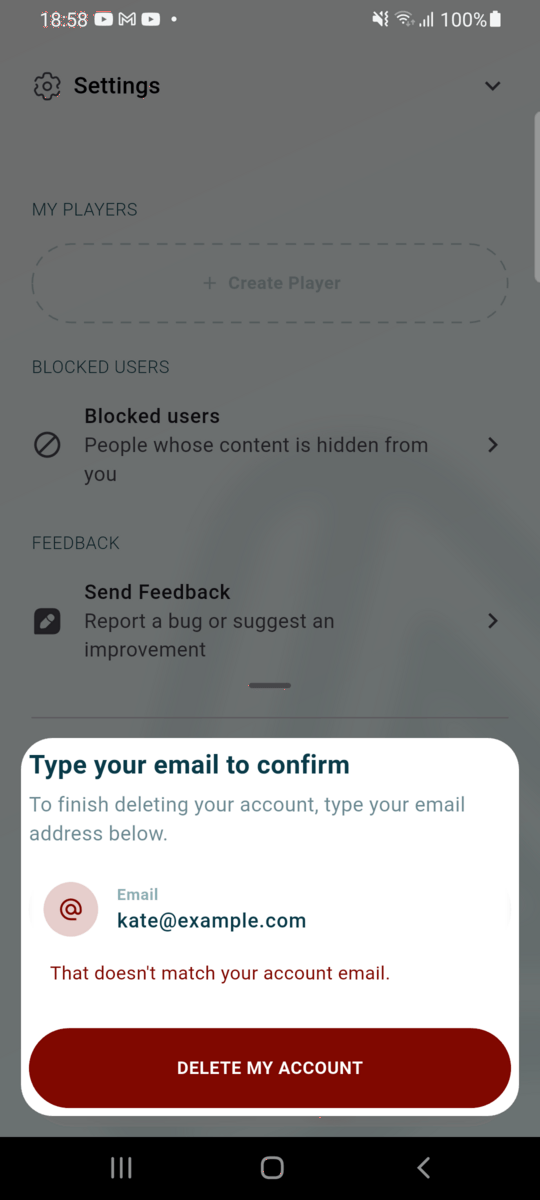
As a final safeguard against an accidental tap, type your account's email address exactly, then tap Delete My Account again. If the email doesn't match, Athlo says so under the field and nothing is deleted.
Account deleted
You're signed out immediately and your account is gone. There is no recovery period — deletion happens as soon as you confirm.
What gets deleted
Your profile and login are always deleted. A few things depend on whether anyone else is involved:
| What | What happens |
|---|---|
| Your profile, memberships, chat messages, notifications | Deleted |
| A club only you belong to | Deleted along with your account |
| A club you share with other members | Keeps running — ownership transfers automatically to another admin (or another member, if there's no other admin) |
| A player profile only you own | Kept, but no longer linked to any account — a club's roster/stats history isn't lost |
| A player profile shared with another parent/guardian (an accepted access grant) | Ownership transfers automatically to them — nothing is lost or locked out |