

Account
Sharing a player
Let another parent or guardian help manage your child's profile as a co-owner, even if they aren't on Athlo yet. You can also pass ownership on to a co-owner.
Part 1: Inviting a co-owner with a link
If the person already uses Athlo, Add Person finds them by name. For someone who isn't on Athlo yet, send a link:
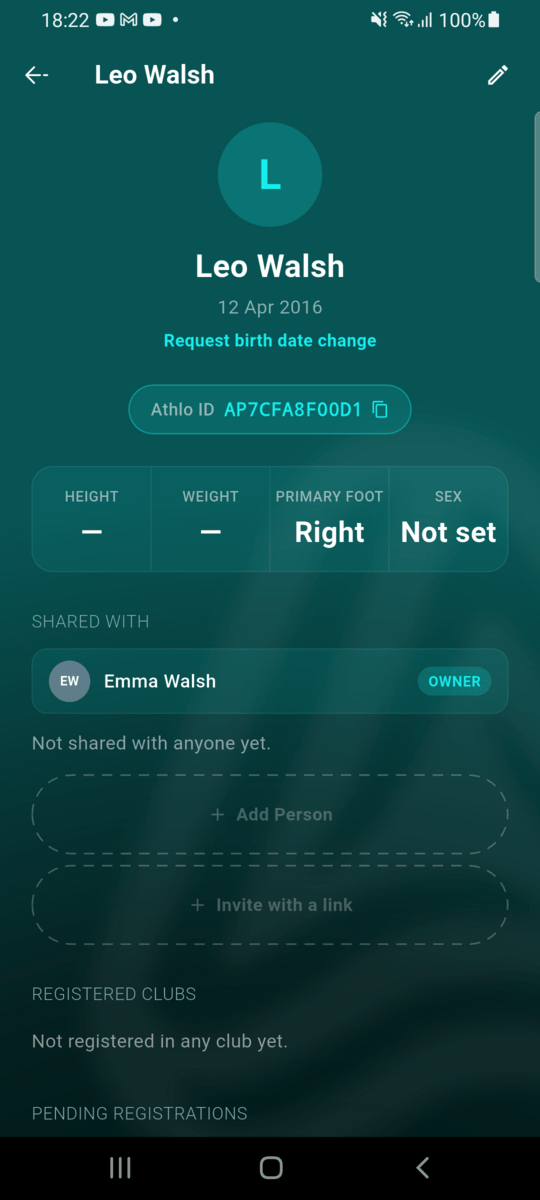
Open your player
In Profile → My Players, open the player and scroll to Shared with. Tap Invite with a link.
Share the link
Send the link to the person who should help manage your player. It works once and expires after 5 days.
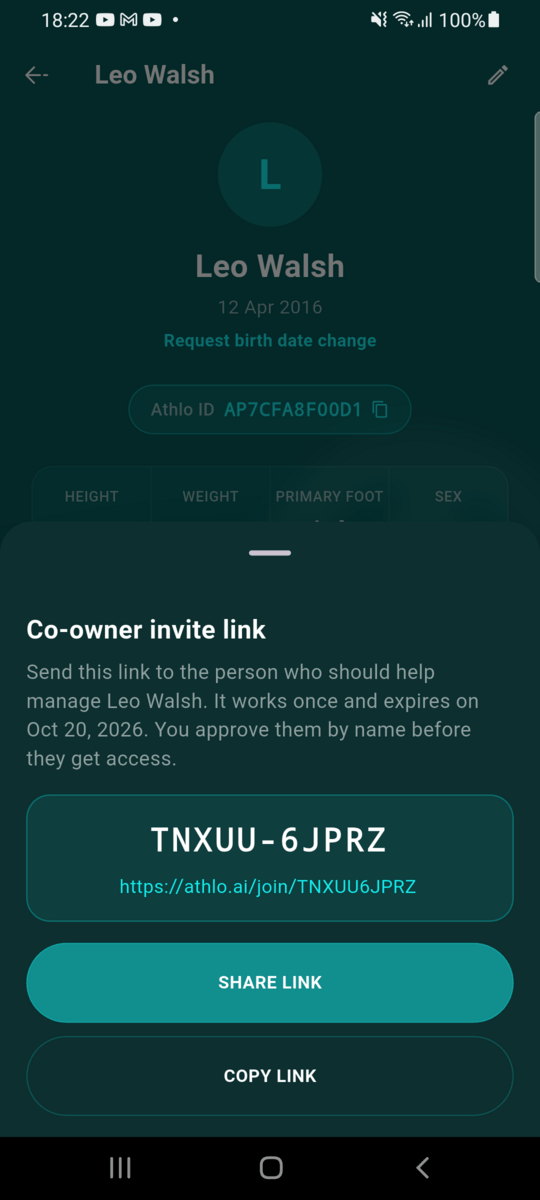
The link waits to be used
Until someone uses it, the link shows under Shared with with its expiry. You can share it again or remove it.
Part 2: Requesting access
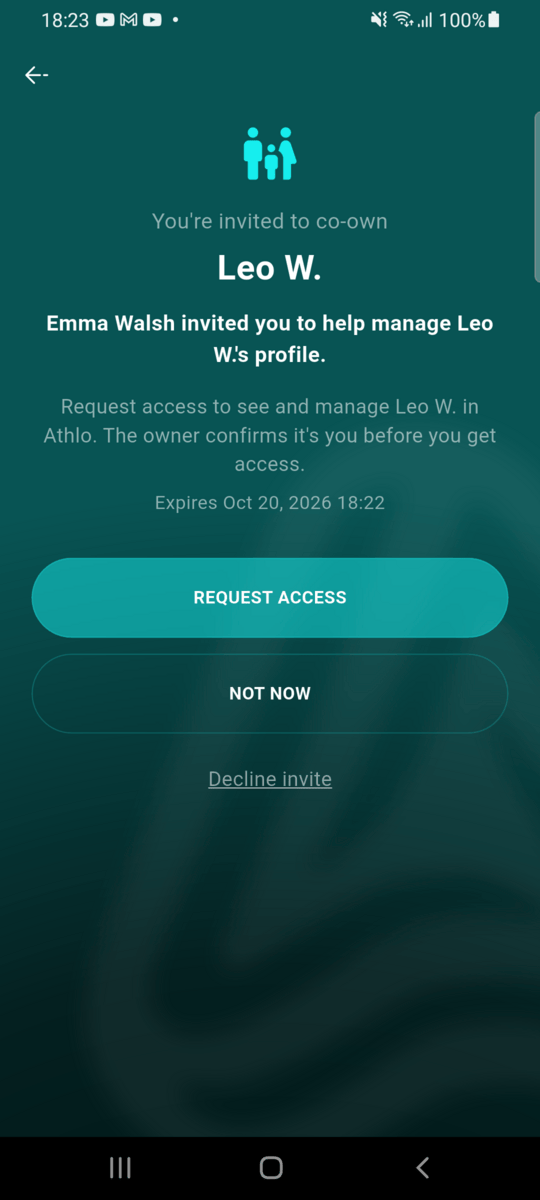
Open the link and request access
After signing up or signing in, the invite shows who sent it. Before you sign in, the link only shows the player's first name and last initial. Tap Request access.
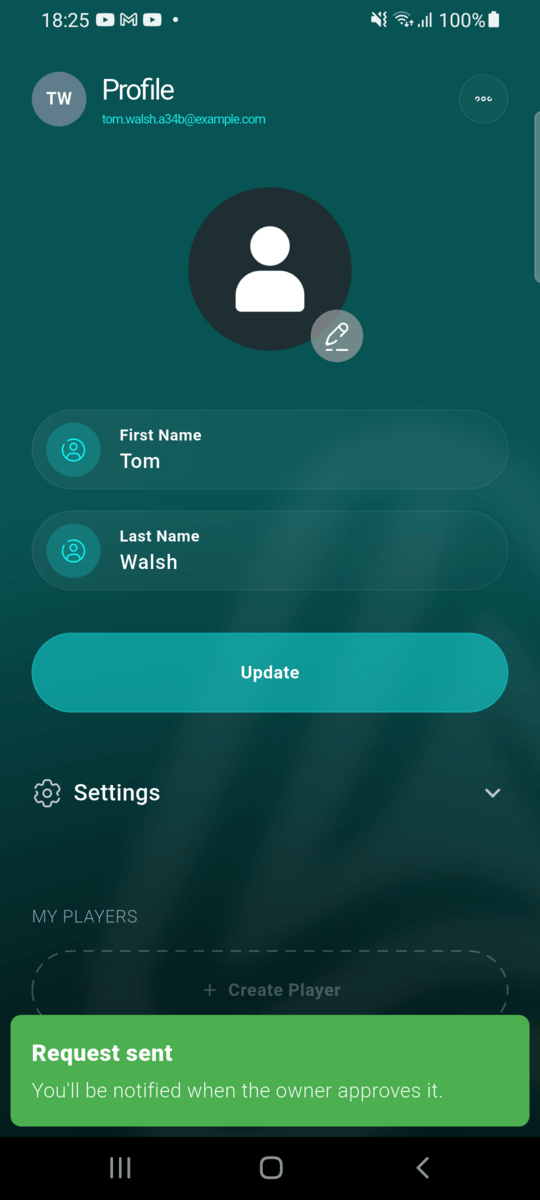
Wait for the owner
Nothing is shared yet. You're notified when the owner approves you.
Part 3: Approving the request
Check who it is
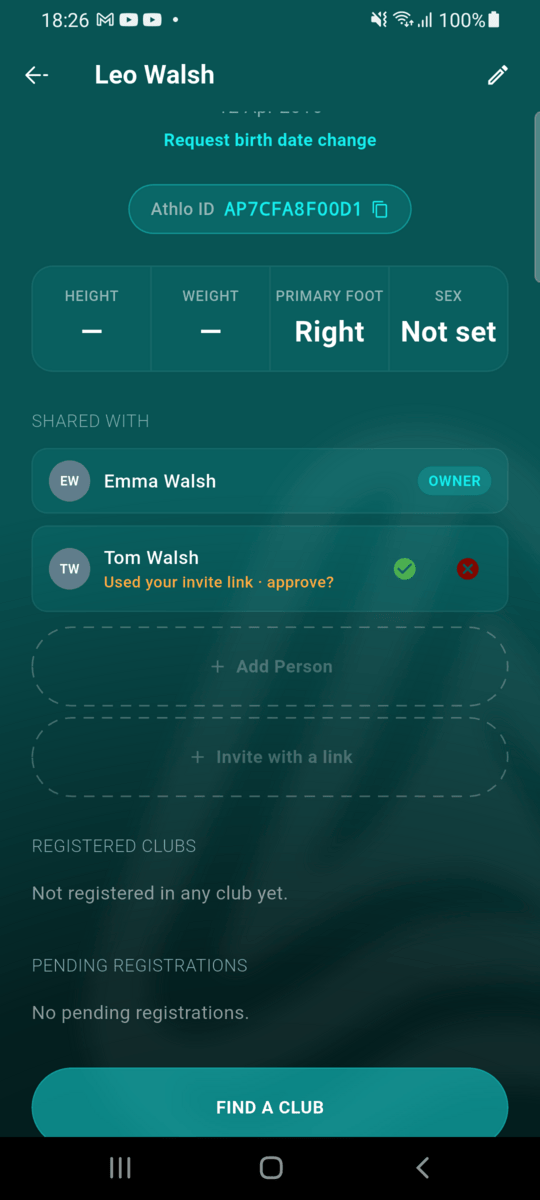
You're notified when someone uses your link. Their name appears under Shared with as Used your invite link · approve?. Tap ✓ to approve or ✕ to decline.
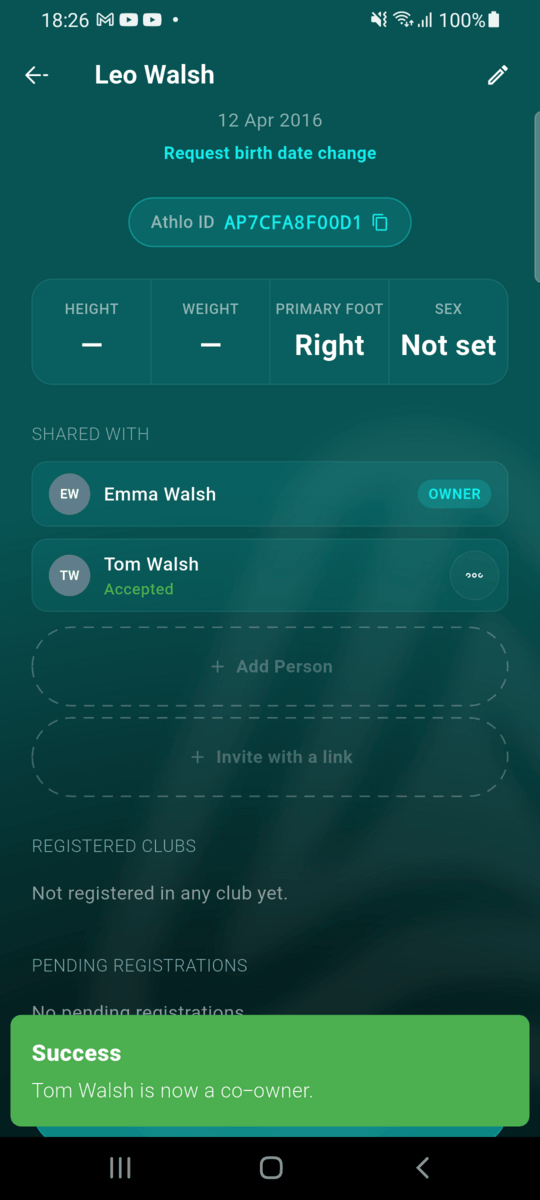
They're a co-owner
Once approved, they can see and manage the player, including registering them at clubs (a club registration a co-owner sends still comes to you for approval).
Part 4: Passing on ownership
Make a co-owner the owner
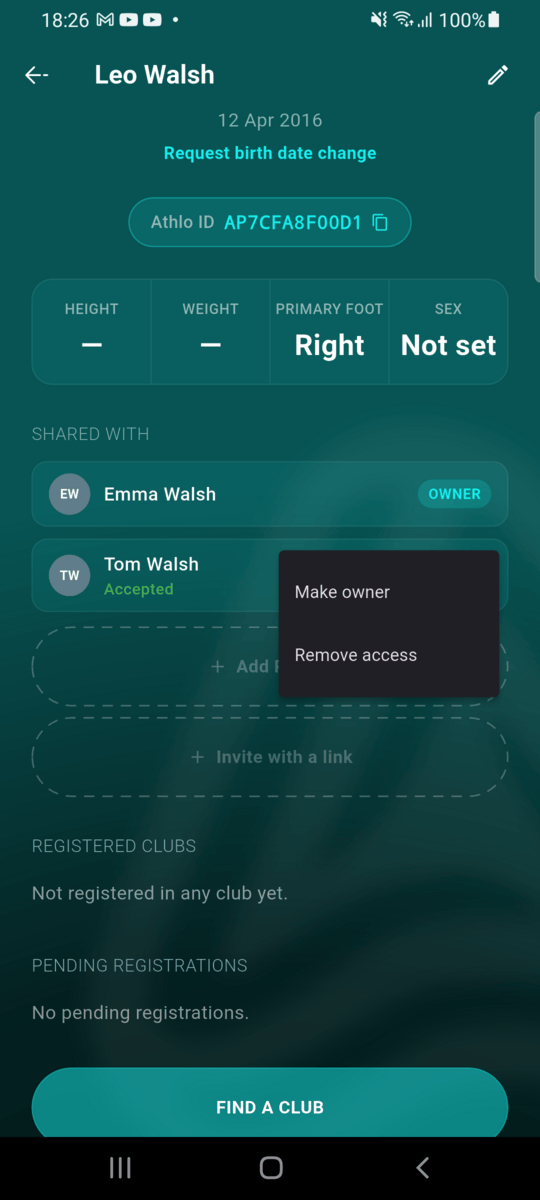
Open the co-owner's ⋯ menu and tap Make owner.
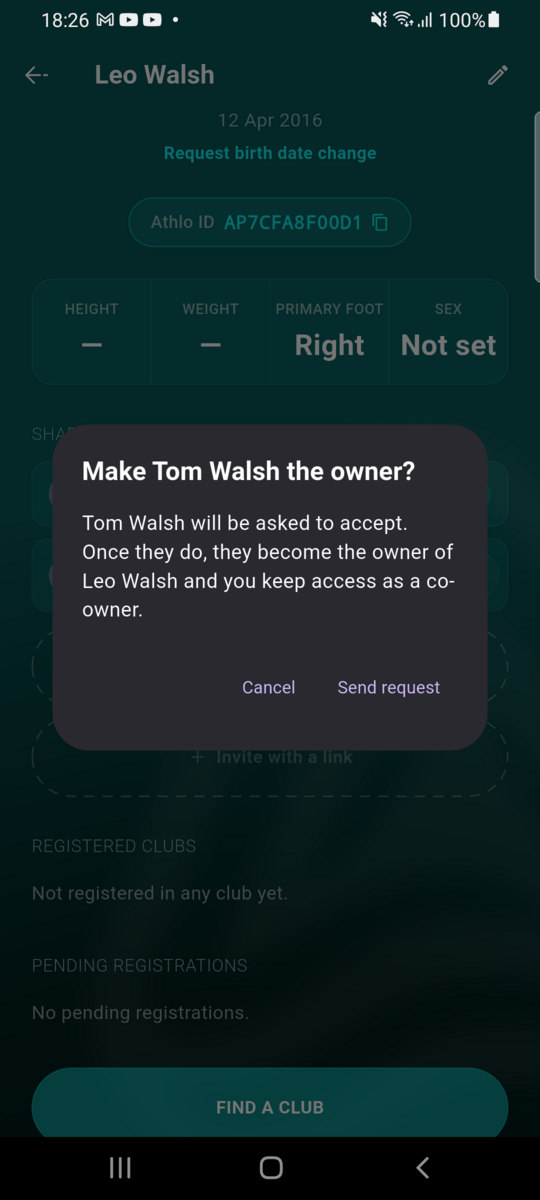
Send the request
They're asked to accept. Once they do, they become the owner and you keep access as a co-owner.
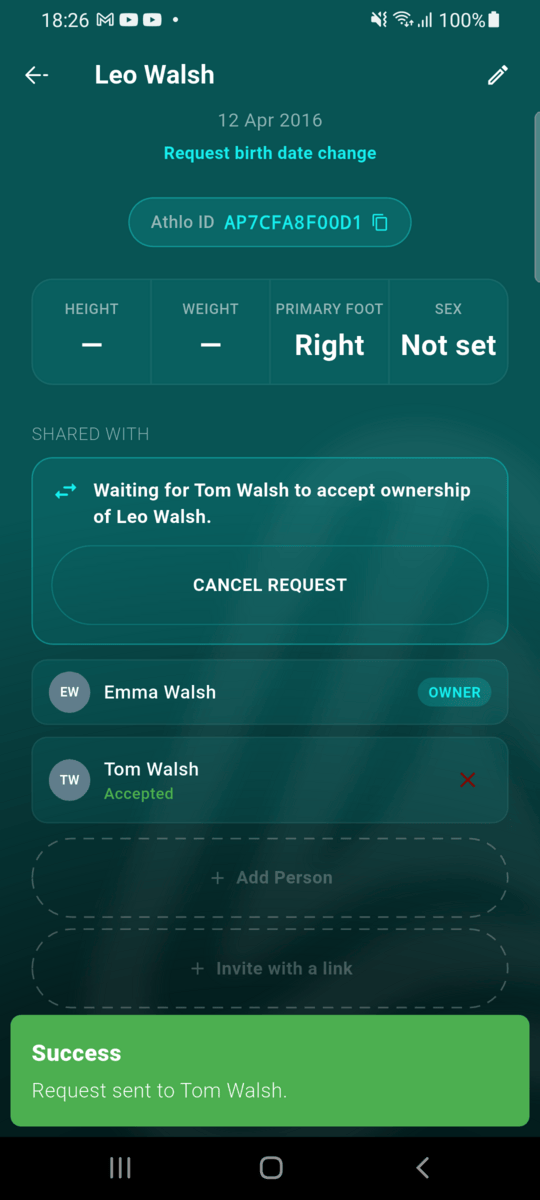
Waiting for them
Until they answer, you can cancel the request. It expires after 5 days.
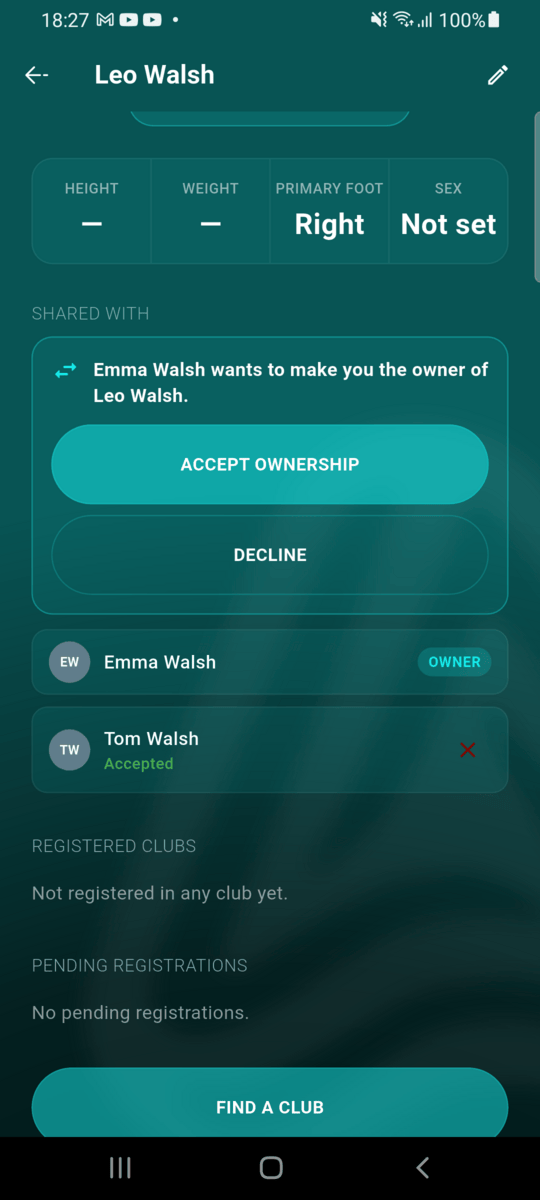
Accept ownership
The co-owner sees the request on the player's profile (and gets a notification). Tap Accept ownership or Decline.
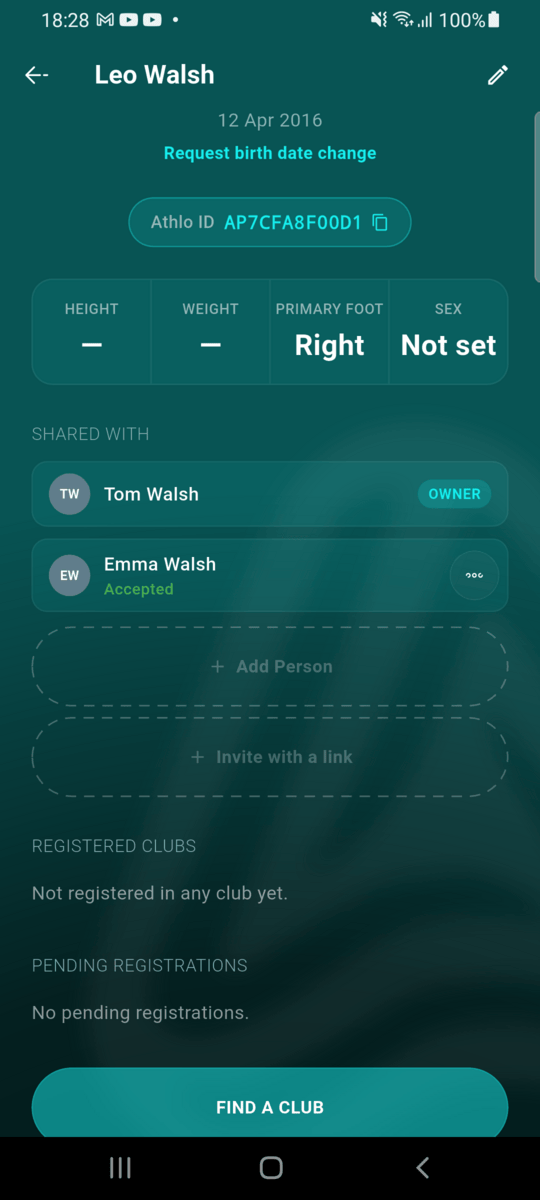
You're the owner
You now manage the player's co-owners, including any links the previous owner created. Club registration requests from co-owners now come to you.
A few things worth knowing
- Every co-owner invite expires after 5 days — whether sent by name, by email or as a link.
- Only the owner invites, approves and removes co-owners, and passes on ownership.
- A co-owner can remove themselves at any time from the player's Shared with list.
- Only the owner can take the player out of a club or delete the profile. If they delete it, every co-owner loses access and gets a notification (see Leaving a club or deleting a player).